Edit task metadata from title
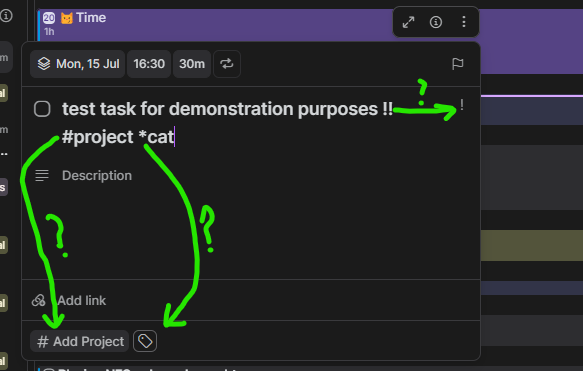
Think it would be cool to be able to edit task metadata from its title. Currently, when opening an already completed task, typing in its title using characters recognised elsewhere in Akiflow (menus which pop up when you hit !! for priority, or # for projects when you have selected a task with kbm) doesn't affect metadata, meaning you need to either click each field manually to change this data (the project section, the tags section, the priority section) or close the task window and then use keyboard shortcuts from there.
Admittedly, yes, I am industry espionaging here and attempting to get you to help me mimic my todoist workflow so i can have the best of both worlds.
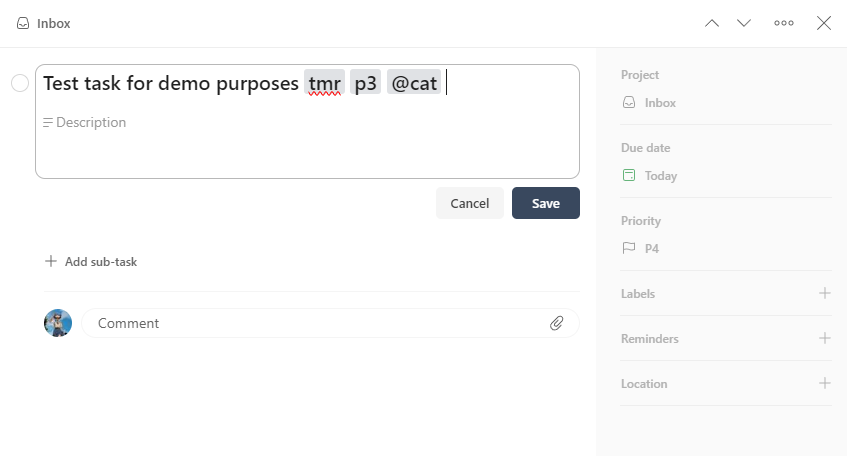
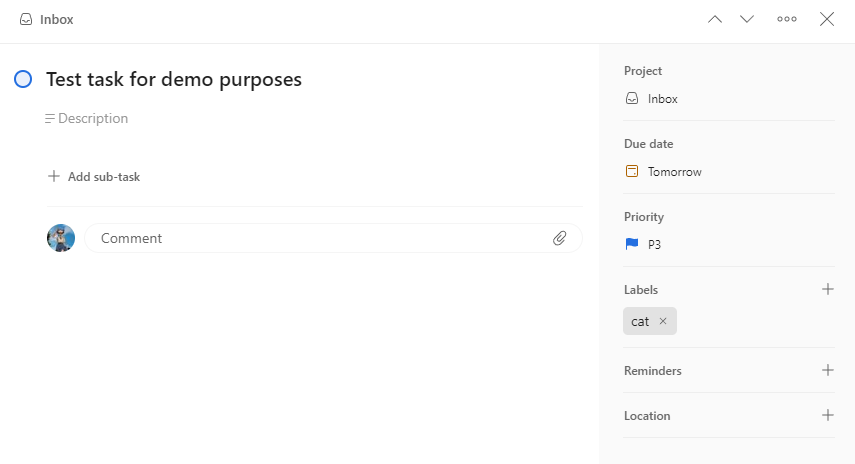
In todoist, typing in a tasks title even after creation edits metadata with NLP recognition, which I think makes for much better UX. This also expands to things like setting a reminder (! in todoist), and could apply for setting durations in Akiflow too.
Screenshot attached to show how it's done in Todoist.
Status: Open
This request was merged into another request
No comments yet
Be the first to share your thoughts.