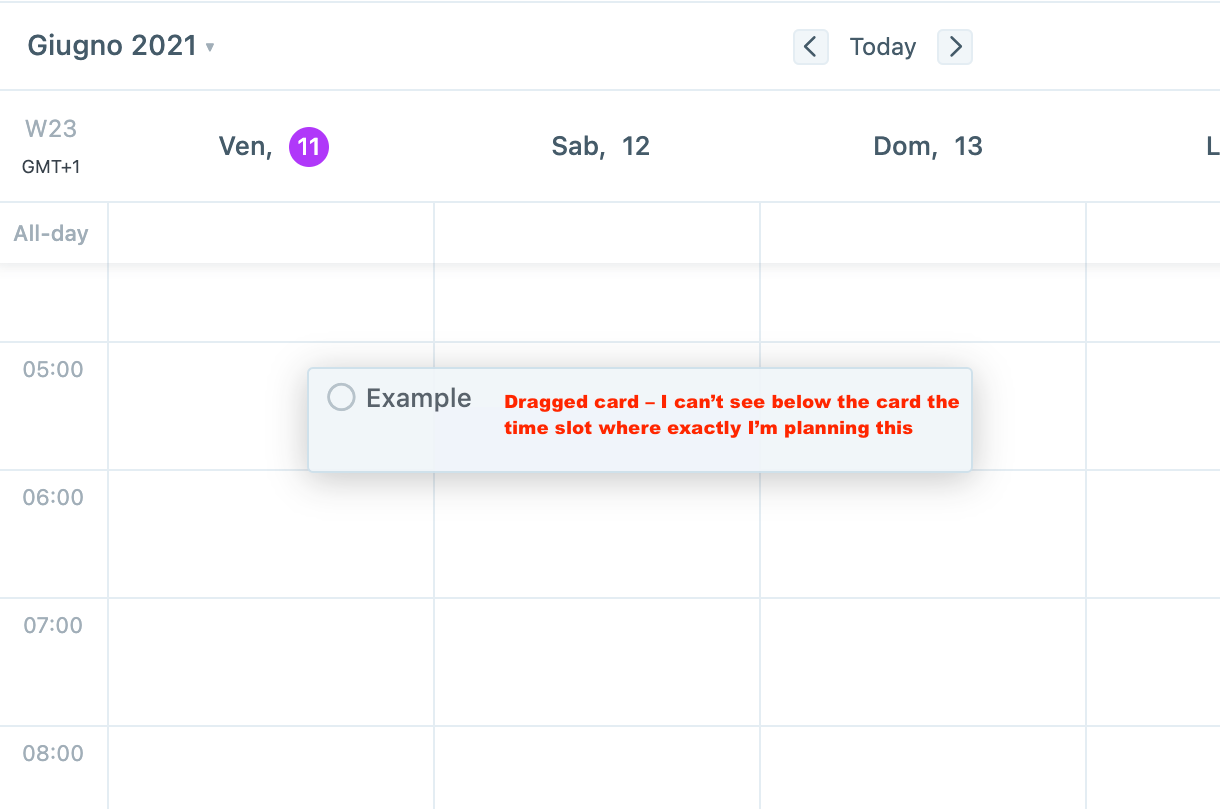
The dragged task card is quite big and visually covers the calendar slot I try to plan the task on. It's a bit tricky to be able to plan the task as intended
Hello Akiflow users! We've thoroughly revamped the drag & drop experience in our latest release. We'd love to hear your feedback on these enhancements!
Roelof
•
May 18, 2023
Great!! Is it also possible to make it possible to add duplicating a task while holding a hotkey to this improvement? For example, when you hold CMD and drag a task, you automatically duplicate it and can draw it to a new slot in the calendar.
Use case example:
Whenever I don't manage to finish a task within the time planned for it, I duplicate the task and plan it for the remaining time on another day or move the duplicate to my inbox/task list. For me personally, it is important that my calendar stays tidy for reflecting.
Log in to comment and vote
Comments4
Sep 18, 2023
Hello Akiflow users! We've thoroughly revamped the drag & drop experience in our latest release. We'd love to hear your feedback on these enhancements!
Roelof
May 18, 2023
Great!! Is it also possible to make it possible to add duplicating a task while holding a hotkey to this improvement? For example, when you hold CMD and drag a task, you automatically duplicate it and can draw it to a new slot in the calendar.
Use case example:
Whenever I don't manage to finish a task within the time planned for it, I duplicate the task and plan it for the remaining time on another day or move the duplicate to my inbox/task list. For me personally, it is important that my calendar stays tidy for reflecting.
[Deleted User]
May 19, 2023
Roelof: I added your vote to this request: https://product.akiflow.com/features-and-improvements-request/p/shortcut-to-drag-and-duplicate-a-task-in-calendar. Thank you so much:)
Sep 28, 2021