Reduce Akiflow's minimum window width
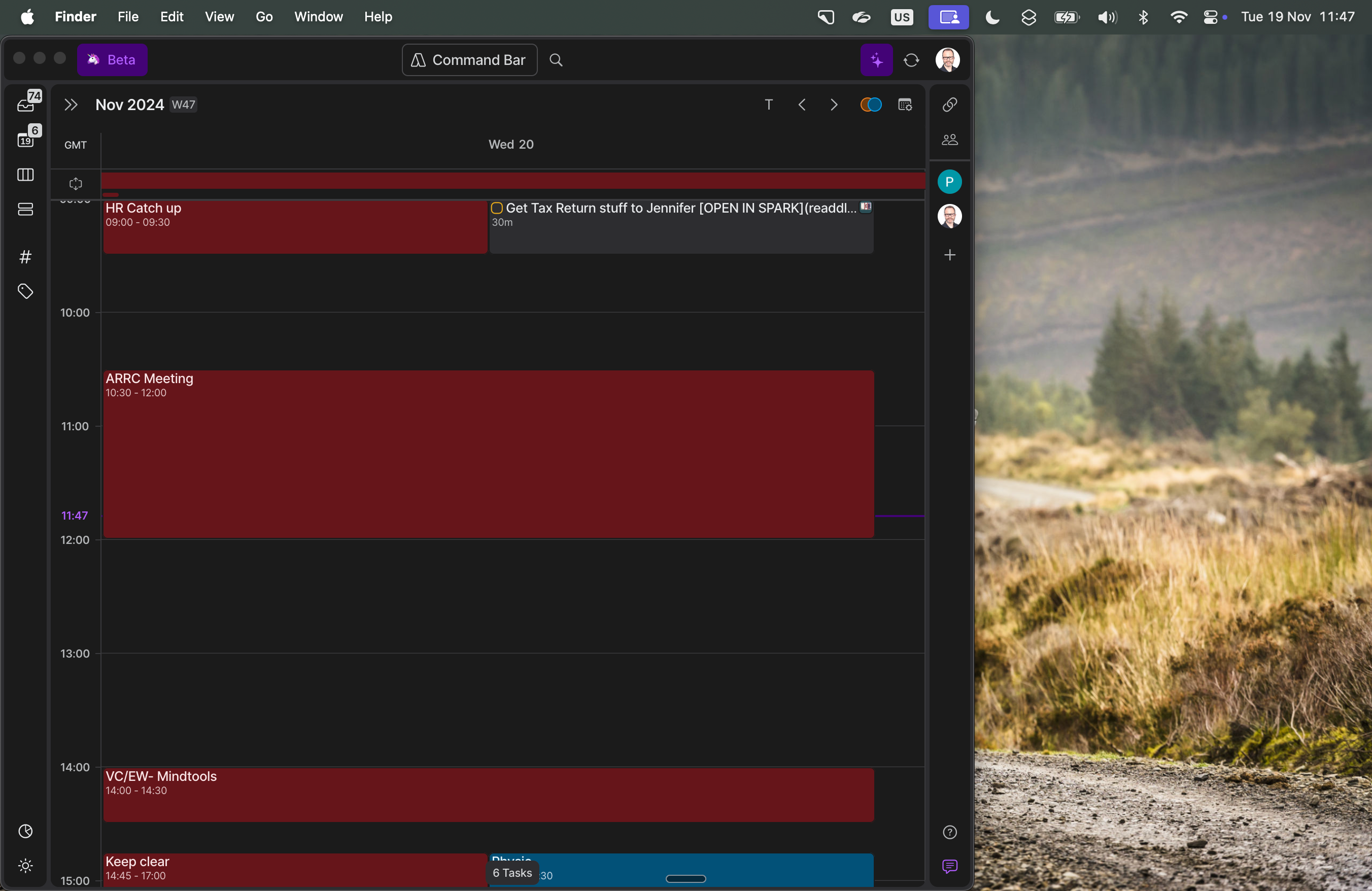
The minimum width of the window in the mac beta is about 2/3rds of my macbook screen. Once I've planned I just use my calendar view so it's excessive - see screenshot. Can the minimum window width be reduced to about 1/3 to 1/2 of its current size?
Log in to comment and vote
Comments5
Patrick
Feb 5
+1
here, surprised to see this issue was raised a year ago. Flagged for action and yet nothing was done. This remains a massive problem (pun intended). I don't need calendar apps that take over my entire screen. AkiFlow is a great app that means I can focus on what I want to work on. But the way the app is coded, it literally gets in the way of my work. Thank you for addressing.
Akiflow Team
Feb 5
Thanks for sharing your feedback, Patrick. I completely understand how frustrating this must be. We hear this concern about screen behavior and workflow interference, and I’ve made sure it’s relayed to the product team for consideration.
While we don’t have an immediate fix or ETA, your input helps highlight how important this is for users, and it will be taken into account as we prioritize improvements.
Appreciate your patience and for taking the time to provide detailed feedback!
Kyle
Apr 10, 2025
Agreed. It takes up too much screen real estate when all I want to see is the calendar 1 day view. (I'm on Windows). I think the minimum width should be cut in half at least.
Jeson P
Apr 18, 2025
Kyle Rhodes: Thank you! Our team will definitely review this in the future!
Jeson P
Jan 3, 2025
Adding another feedback on behalf of Yasmine Madkour:
Being able to resize window to a narrower window. With small laptops, Akiflow takes 2/3 of the screen.