New 💥 Create elements in Mobile Calendar📱
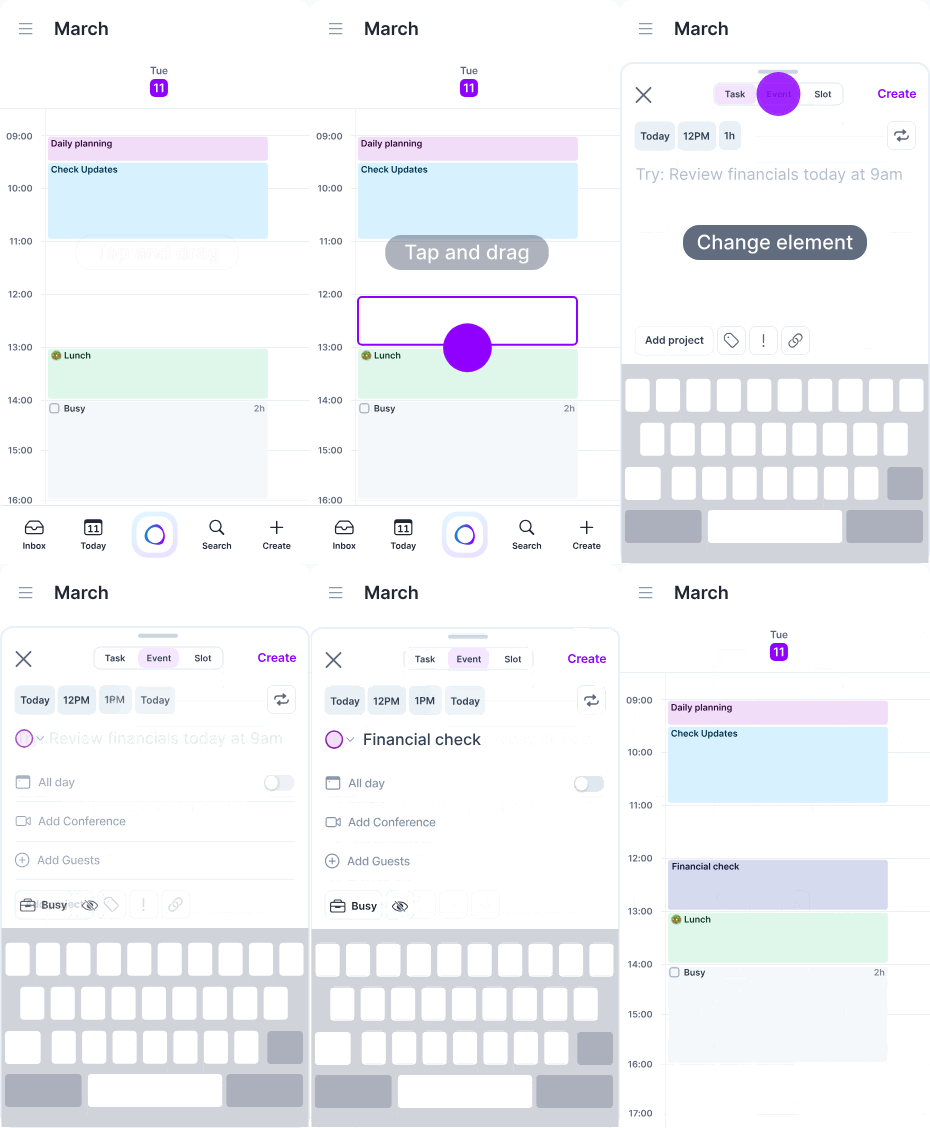
✏️ Design in calendar to create your favorite element
You can now Tap or Tap + hold + drag in calendar to create your favorite element
📏 The placeholder can be resized, moved and minimized to check your calendar (by swiping it down).
⚙️ Customize which element to open (Event, Tasks or Time Slot) by going to Settings > Calendar Appearance.
🕒 Customize their default duration by going to Settings > Tasks, Events, Slots.
🔄 Switch between elements
You can now switch between elements while creating them.
Basic information like title and time will be saved when switching from one element to another.
☑️ Create tasks edits
The
+button has been moved to the app footer and opens Task creation by default. As mentioned above you can then switch to event or time slot in one tap.