Changelog
Follow new updates and improvements to Akiflow.
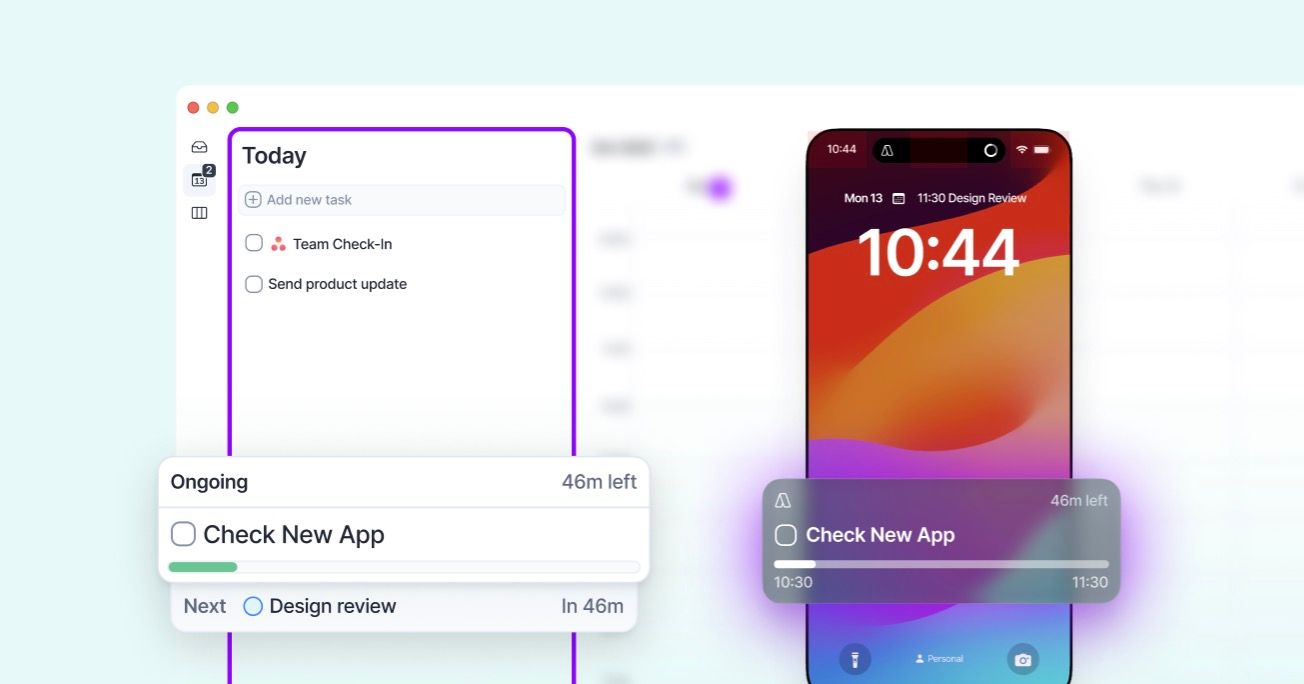
Live Activities keep your current activity visible at any time to help you focus executing what you planned!
📱 Mobile
iOS: Live activity is available via your **Lock Screen **and you can turn it off via system settings. Android: You have a Sticky Notification which you can turn off via the Akiflow app. Read more here🔗
🖥️ Desktop
On the Today page you can find your ongoing and next calendar activity and easily interact with them. You can turn it off by the Settings in page (next to "Today" in the app header)
👋 Goodbyes: We decided to sunset Quick Notes and the Aki bubbles that showed the Aki message preview. We constantly aim at a lean AI and we try to remove everything that brings more noise than help.
📱 Create all day events: The mobile app now supports All day event creation in one tap! Click on the all-day section of the calendar to create and all day event.
🗓️ Plan: We improved Time Slot suggestion in the Plan Modals so for each task the first suggestions are now the next time slots with the same project you have planned in calendar.
#️⃣ Plan in a time slot: on desktop you can also search for time slots while planning writing their project name
🧩 Integrations: Added the option to reset specific project configurations for Asana, Gihub, Jira, Linear, Notion and Trello
🔔 New Updates: Akiflow now allows you to turn off both the update notification and the auto-update option, you'll see a "Update available" notice in the app header