
Changelog

Follow new updates and improvements to Akiflow.

🌊 Stay in Flow with Live Activities
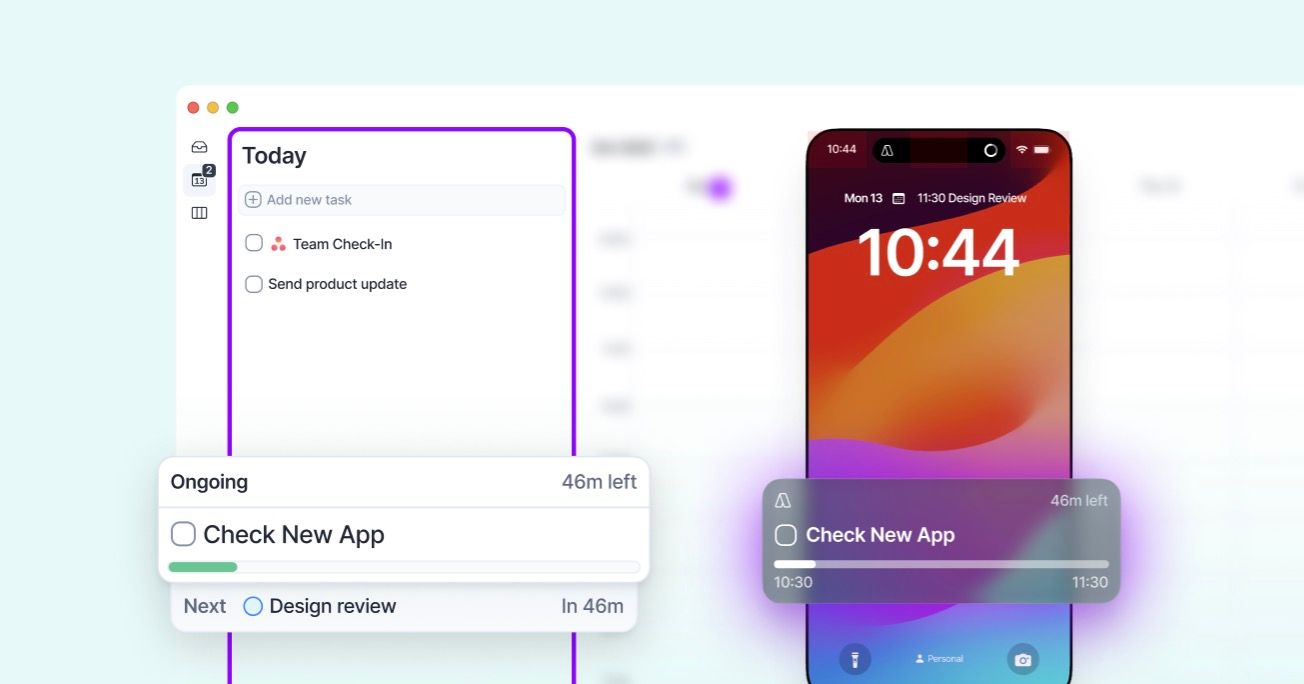
Live Activities keep your current activity visible at any time to help you focus executing what you planned!

📱 Mobile

iOS: Live activity is available via your **Lock Screen **and you can turn it off via system settings. Android: You have a Sticky Notification which you can turn off via the Akiflow app. Read more here🔗

🖥️ Desktop

On the Today page you can find your ongoing and next calendar activity and easily interact with them. You can turn it off by the Settings in page (next to "Today" in the app header)
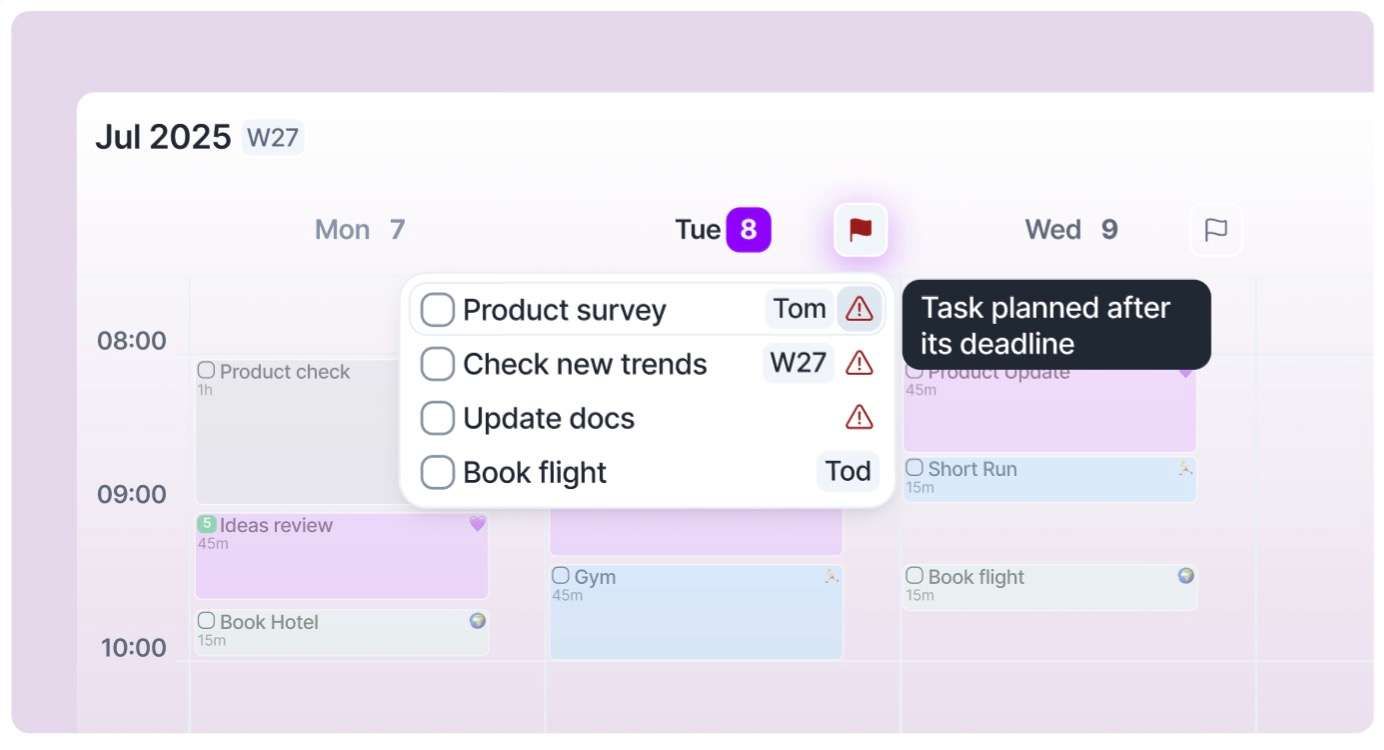
🚩 ️Deadline alerts, right on your calendar

🚩 Never miss a deadline again!

We added a flag on any day header** in calendar** to mark any day with unfinished deadlines.

💜 We've got your back!

A clear warning appears in tasklist (yes, even in compact mode!) and in calendar if any deadline is worth your attention.

⚠️ Current Warnings

  • The due date is in the past

  • The task is **planned *for a date* after the deadline**

  • Deadline is in less than 4 days and the task has no plan date (Inbox) or it's planned for a Timeframe (This Week, Next Month, Someday, etc)

Let us know if we should add anything else :)

Earlier updates