Changelog
Follow new updates and improvements to Akiflow.
☀️ Rituals Improvements
End your day with ease: Added a slide at the end of the shutdown to avoid going back to Akiflow and enjoy a clean view.
Streamlined planning: Fixed the time slot selector UI in the "Finalize your Week" step for smoother interactions.
Stay on top of your goals: Goals dates are now visible directly in rituals.
🚀 Upcoming Improvements
New menu options: Access Upcoming Views directly from the Akiflow menu for quicker navigation.
** Overview update**: Added Inbox to the Overview view, and moved "Someday" as the last visible timeframe for better organization.
Consistent overdue tasks: Overdue tasks now appear both in Today and in the timeframe they were originally planned for, ensuring no task slips through the cracks.
🗓️ Weekly Rituals
Plan for success and review your achievements—essential steps for productivity!
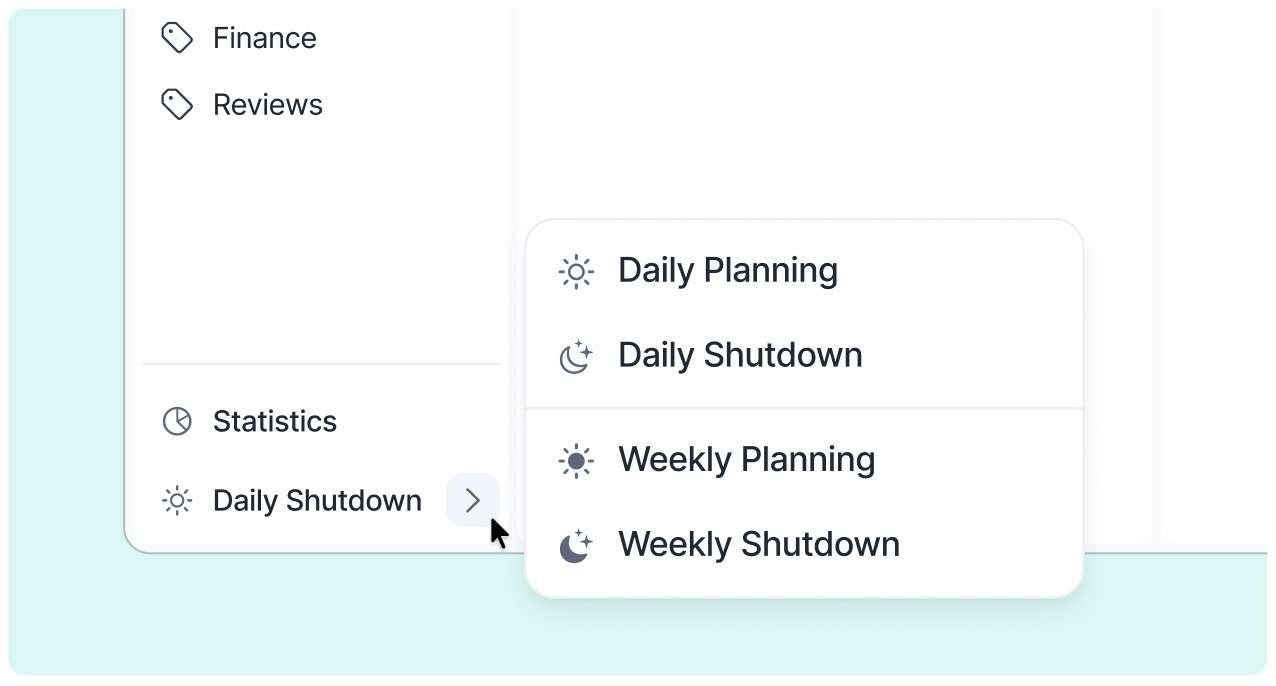
Akiflow now guides you not only daily but also with Weekly Rituals. Take a few minutes each week to set your intentions (Weekly Planning) and reflect on your progress as the week ends (Weekly Shutdown).
🎯 Goals
We’ve renamed the priority option 'Goal of the Day' to simply Goal for consistency across the app.
You can now add Weekly Goals while doing your weekly planning and review them at the end of the week. Being tasks, goals can be planned for a specific date or be kept in the Week timeframe.
📝 Quick Note
🔄 Daily Planning & Shutdown Enhancements
Added a new Day Rating feature to reflect on your productivity
New plan times to review weekly and monthly tasks while planning
Improved stats to better understand your day
Resizable and customizable calendar: Hide it, adjust the number of visible days, or resize it to your liking
We removed the automation that moved overdue tasks to the next day during shutdown, giving you more control over your tasks.
- Full UI/UX overhaul for a cleaner, more intuitive experience
🔔 Daily Shutdown Reminders
Our new rituals update is designed to help you plan your tasks and goals for the following day during your Daily Shutdown.