👋 Goodbye Snooze! Hello, Time Frames! 🤩
With this release, we're taking task planning to the next level! Plan far into the future while staying in control of your schedule.
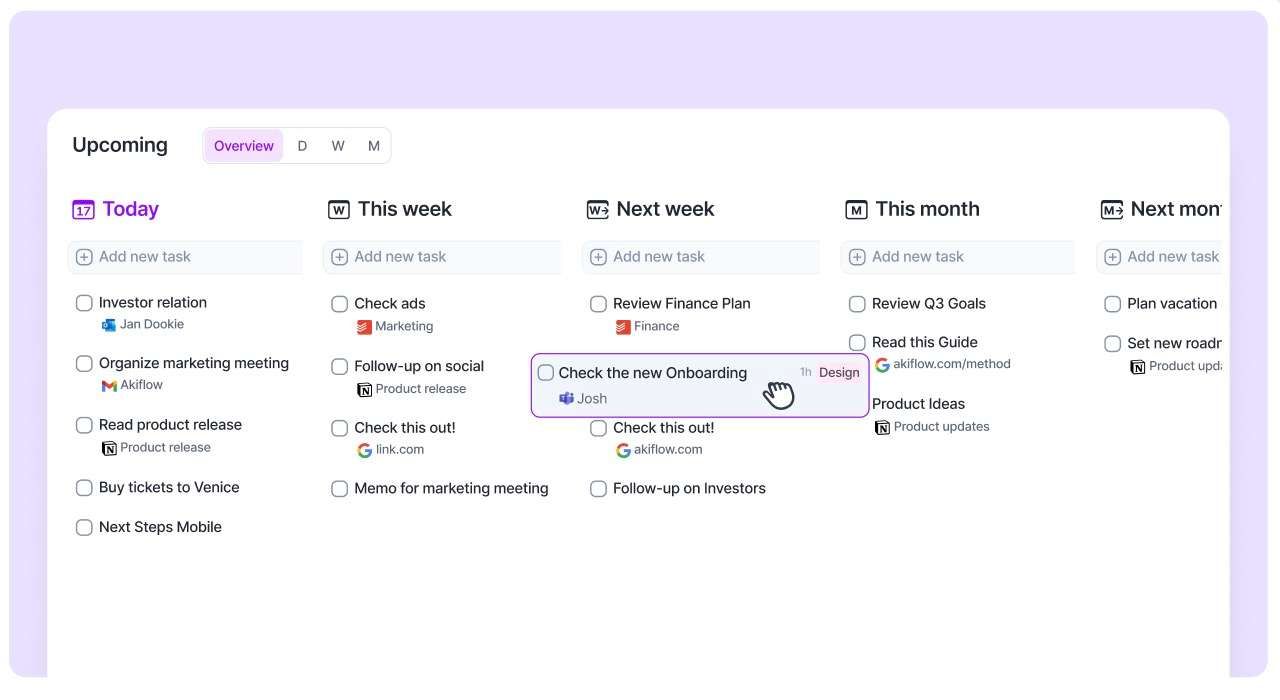
🗓️ Introducing Time Frames
Organize tasks by week or month right from your Inbox.
- Assign tasks to future time frames and easily revisit them in your Rituals or on the Upcoming Page.
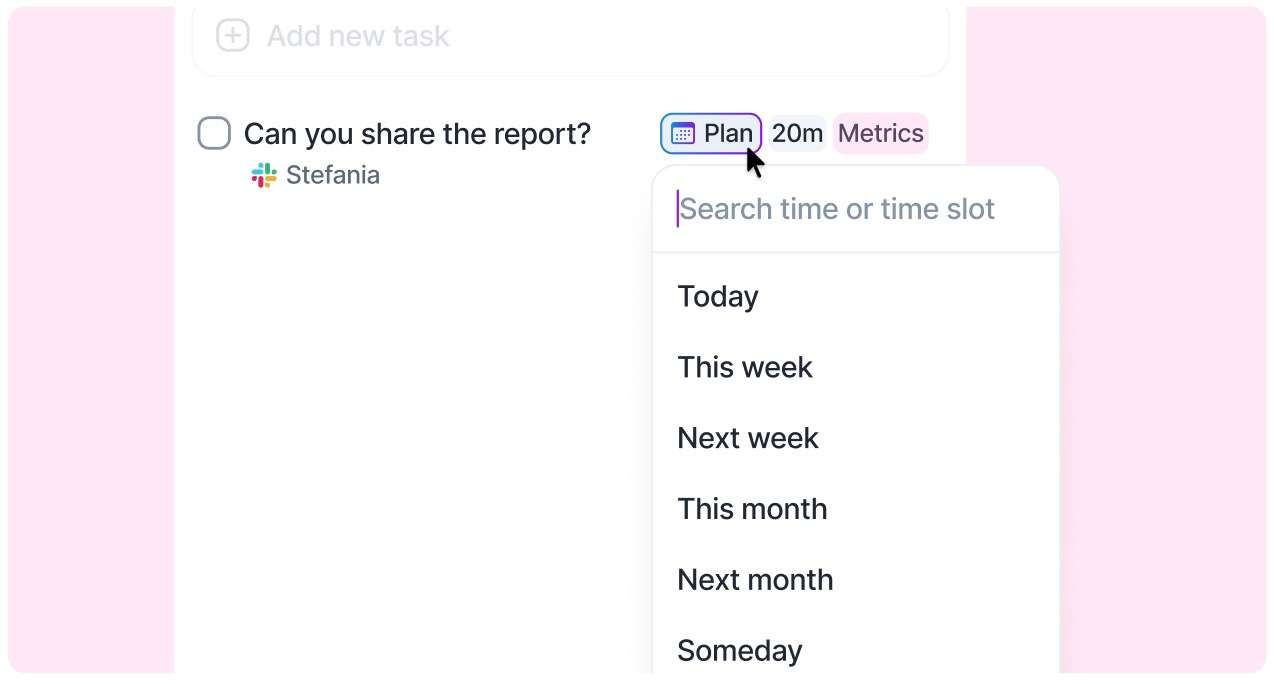
⌨️ Natural Language & Task Planning
Plan tasks using natural language: "this week", "next month", "2nd week of June", "W34", "Someday", and more.
Enhanced recognition for phrases like "next week", "in 2 months", or "next quarter" to place tasks in time frames instead of a specific day.
Planning tasks is now easier from anywhere: Inbox, command bar, or the task popup. We suggest the right time frames and time slots to fit your workflow.
Improved task plan badges: Clearer display of days, weeks, and months without clutter.
👋 Farewell to Snooze
Snooze was a great procrastination ally, so we’ve removed it together with the S and H shortcuts.
What happened to my snoozed tasks? Don't worry! All your snoozed tasks have been planned to their original snoozed date.
Someday tasks are now part of the new Plan options. All tasks previously in Someday remain accessible on the Upcoming Page.
🔜 Revamped Upcoming Page
We've overhauled the Upcoming page to make planning even smoother, adding new views and customization options:
New views: Switch between Overview (time frames), Days (old Upcoming view), Weeks, and Months.
Side Time Frame: While in Days, open your Week timeframe on the side to quickly check and move tasks between views.
- Customize your calendar: Choose how many days to display and resize the calendar to create your ideal planning view.
📚 You can read more here!