iCloud Calendar, Travel Time, Akiflow on Apple Watch, and a fresh new look
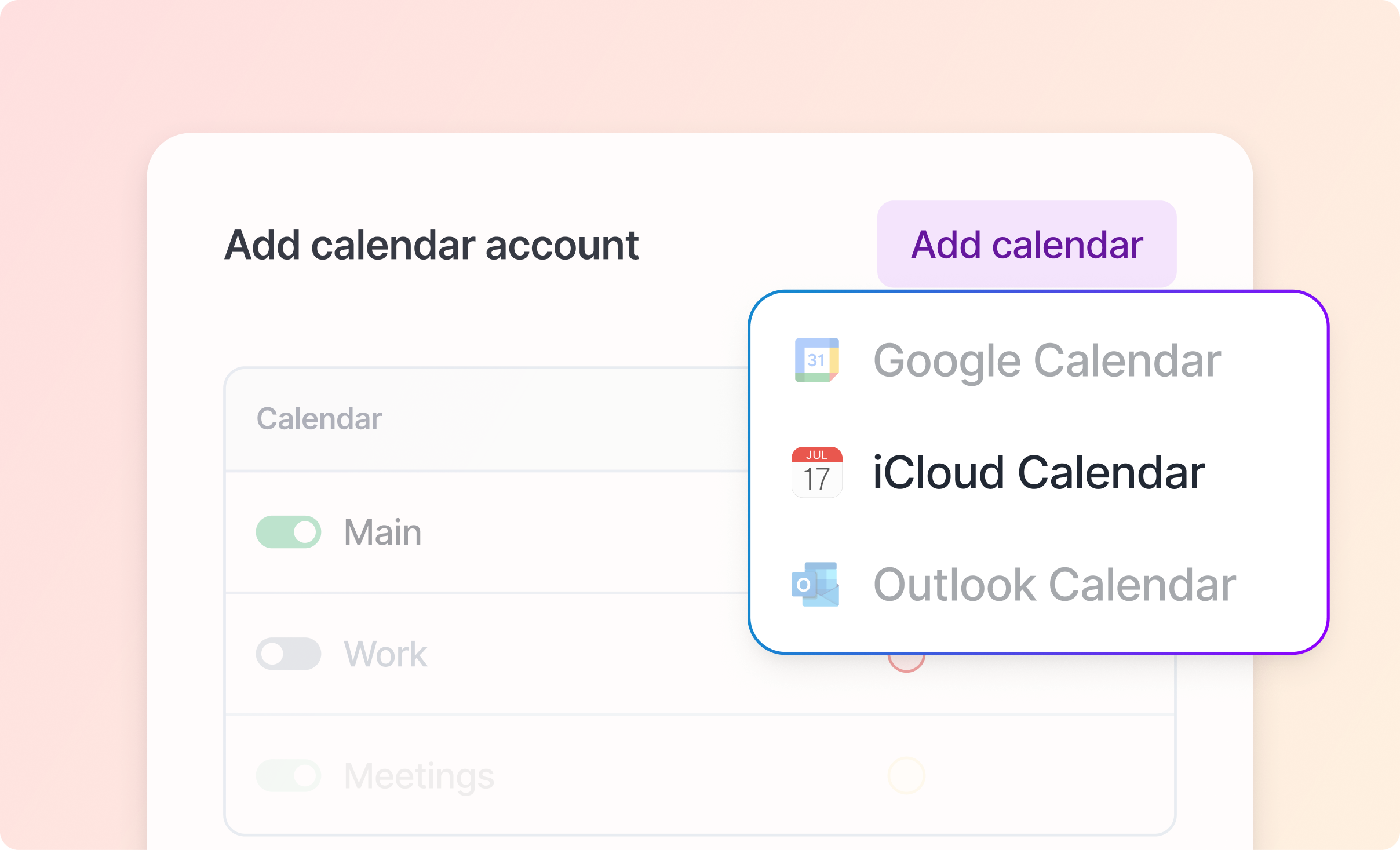
Release 2.83 is one of our biggest updates yet. Akiflow now syncs with iCloud Calendar, protects the time you need to get to in-person meetings, arrives on Apple Watch, and gets a cleaner, refreshed design on desktop and web.
We're rolling out 2.83 gradually over the next week, so your update may arrive a little later.
📆 iCloud Calendar
One of your most requested features is here. Connect your iCloud Calendar and see your Apple calendars next to your tasks, Google Calendar, and Outlook, with changes syncing both ways.
Two-way sync - Create, edit, reschedule, and delete events in Akiflow and the changes reach iCloud. Changes you make in Apple Calendar come back to Akiflow. Recurring events are supported.
All your iCloud calendars - Every calendar stored in your iCloud account shows up, including calendars shared with you. Read-only calendars are clearly marked and can't be edited. You can connect more than one Apple Account.
You choose what you see - Show or hide each calendar, and turn event reminders on or off per calendar, just like with Google and Outlook.
Guests and invitations - Invite people by email or from your iCloud contacts, and respond to invitations right from Akiflow.
Zoom links - Generate a Zoom link for an iCloud event, or set Zoom as the default conference tool for your iCloud account.
Time blocking - Lock tasks and time slots to an iCloud calendar, or make iCloud your primary calendar.
Everywhere - Works on desktop, web, iPhone, and Android.
How to connect: go to Settings > Calendars > Add calendar > iCloud Calendar, enter your Apple Account email and an app-specific password. Your Apple Account needs two-factor authentication turned on. Our iCloud Calendar guide walks you through creating the password in a minute.
Good to know: Apple Reminders, subscribed calendar feeds, the Birthdays calendar, and calendars stored only on your device don't sync. iCloud syncs periodically, so changes can take a few minutes to appear.
iCloud Calendar turns on for everyone on Wednesday, October 14.
🚗 Travel Time
Stop creating separate "travel" events before every in-person meeting. Add Travel Time to an event and Akiflow blocks the time you need to get there.
Estimated for you - Choose driving, cycling, or walking, and Akiflow estimates how long the trip takes from your starting address to the event's location.
Or set it yourself - Pick 15, 30, or 45 minutes, 1 hour, or type any duration. You can add Travel Time even when the event has no location.
Your starting point - Save a default starting address and transport mode in Settings, and change them for any single event.
On your calendar - Travel Time appears as a block attached right before the event. Moving the event moves its Travel Time too.
Protects your availability - Akiflow adds a matching busy event to Google Calendar or Outlook, so colleagues can't book you while you're on the way.
Leave on time - Get a reminder when it's time to leave.
Recurring and invited events - Add Travel Time to a whole recurring series or a single occurrence, and to meetings you were invited to, as long as the calendar is one you can edit.
Available on desktop, web, iPhone, and Android for timed events.
⌚ Akiflow on Apple Watch
Your tasks and schedule, right on your wrist. The Apple Watch app works together with Akiflow on your iPhone.
Quick Capture - Tap + and dictate or type a task. It lands in your Inbox, ready to plan later.
Your lists at a glance - Inbox, Today, Week, Month, and All Tasks, organized just like on your iPhone.
Check off tasks as you go - Complete or undo a task right from the list.
Complications - See what's happening now or next (a task, event, or time slot) with a live countdown on your watch face.
Works away from your iPhone - Browse your lists and capture tasks when your iPhone is out of reach. Everything syncs as soon as you reconnect.
Requires watchOS 10 or later and the Akiflow iPhone app.
✨ A fresh new look on desktop and web
We redesigned the desktop and web app to be cleaner and faster to get around. A short tour shows you what changed the first time you open the app after updating.
A cleaner sidebar - Inbox, Today, and Tasks sit at the top. Right-click a section, project, or tag to pin it to the menu, up to five items. Drag a pinned project onto the calendar to create a time slot for it.
Faster, redesigned search - Search now has its own page, which you can collapse, and responds faster as you type.
More room for your calendar - The right sidebar is gone. Meet With and Share Availability now live in the calendar header, and Help moved into your avatar menu.
Group your Inbox - Group Inbox tasks by source or project from the view options. Drag a task into another project group to move it there.
Focus mode for events and time slots - Open any event or time slot in focus mode. In a time slot, see, add, and complete its tasks without leaving focus. Focus mode replaces pinning a time slot.
A calendar that adapts - New Responsive and Dynamic views. Responsive shows more or fewer days as the calendar gets wider or narrower, and Dynamic shows the rest of the current week starting from today. The view menu is now a simple list: 2 to 6 day views live under Multiple days, and Size is now called Density.
Meet With - Pinned people are now separate from recently active ones, and your most-used contacts are suggested first again.
Meeting Assistant - Now lives in the main menu, with a search field to find past meetings.
Smarter booking links - Ask guests for their company name and up to five questions of your own, each required or optional, before they book. Answers appear in the calendar event and in both confirmation emails, and you can add the company name to the event title. Set default questions for new links in Settings.
More in 2.83
🖥️ Desktop & Web
New
Work through overdue tasks - In Today, planning an overdue task now selects the next one, so you can keep going from the keyboard without losing your place.
Bulk edit duration and priority - Remove the duration or priority from several tasks at once.
Tasks
Turning a completed task into a recurring task no longer leaves the new series marked as done.
Fixed deleting a tag from the sidebar menu.
Fixed links to a completed task not opening it in the browser.
Events & Calendar
Events Google creates from Gmail (flights, hotels, reservations) no longer revert your edits. Fields Google doesn't allow changing are now read-only.
Editing "this and following" on a repeating event that ends after a set number of times no longer adds extra occurrences.
Fixed crashes when changing the start time of some recurring events and recurring time slots.
Duplicating an event no longer duplicates the "Scheduled with Akiflow" signature.
Clicking a week number in Month view now opens that week.
Filter by calendar now has a reset button.
Share Availability
The location dropdown now includes your connected Teams and Zoom accounts, and Zoom can no longer be set as the default without a connected Zoom account.
Integrations
Fixed an error when resetting some Notion connections.
Fixed the issue type dropdown overflowing the Jira settings page.
Platform & Reliability
Faster task, event, and sync updates, especially in large accounts.
macOS: restored the Window menu entries (Minimize, Zoom, Fill, Center) and their shortcuts.
macOS: auto-update now tells you when the disk is full, and the clipboard helper no longer adds a second Akiflow icon to the Dock.
Windows: fixed a crash when changing the system theme and an error when opening the team creation page.
A dedicated screen now shows while your data is cleared on logout.
Fixed account deletion failing for some users.
📱 Mobile
New
Group your Inbox - Group Inbox tasks by source or project from the view options. Your choice syncs with desktop and web.
Bulk edit durations - Set, change, or remove the duration of several tasks at once.
Improvements
New tasks without a time no longer get a default duration. Your default is applied when you give a task a time.
New icon for the Someday section.
Bug Fixes
Tasks added from the Today page no longer land on yesterday's date when the app stays open past midnight.
Android widgets now show all your tasks, with no stuck "Loading…" row.
Fixed all-day events overflowing the day header.
Events Google creates from Gmail no longer revert your edits.
Editing "this and following" on a repeating event no longer adds extra occurrences.
Suggested items you dismiss on another device now disappear here too.
The Inbox count in the side menu now matches the bottom bar badge and caps at 99+.
Sending a bug report no longer fails when your local data is large.
Fixed a crash that some iOS users could hit.
🔧 Infrastructure
Aki & MCP
Task attachments through MCP - Ask your connected AI assistant to read, add, or delete files on your tasks.
Tags and sections through MCP - Create and edit tags and project sections.
Choose where a time slot is locked - Pick which calendar a time slot is locked to through MCP.
When you ask your AI assistant about tasks you've completed, it can now tell you when you completed each one.
Locations added through MCP to a single occurrence of a recurring task are no longer lost.
Calendar Sync
Google Calendar events with Outlook guests now sync correctly to the guest's calendar when you delete them, add or remove repeats, or switch between all-day and timed.
Guests outside Google are now always notified about changes to Google Calendar events.
Switching an all-day repeating event back to a timed one now applies in Akiflow.
Events organized in Outlook no longer show two locations after a location is added in Outlook.
Fixed an extra, unintended guest being added when Akiflow sends a Google Calendar invite.
Integrations
Asana sections you delete no longer leave a warning you can't clear.
GitHub and Jira connections that stop working are now reported in Akiflow instead of failing silently.
Notion sync is more resilient and no longer stops receiving updates after a brief interruption on our side.
As always, your feedback helps us keep improving. Let us know what you think! 🙏