Rituals
The Daily and Weekly Rituals are your productivity partners. Planning your workday and assessing how it went at the end of it are essential steps for productivity.
How can I start my Rituals?
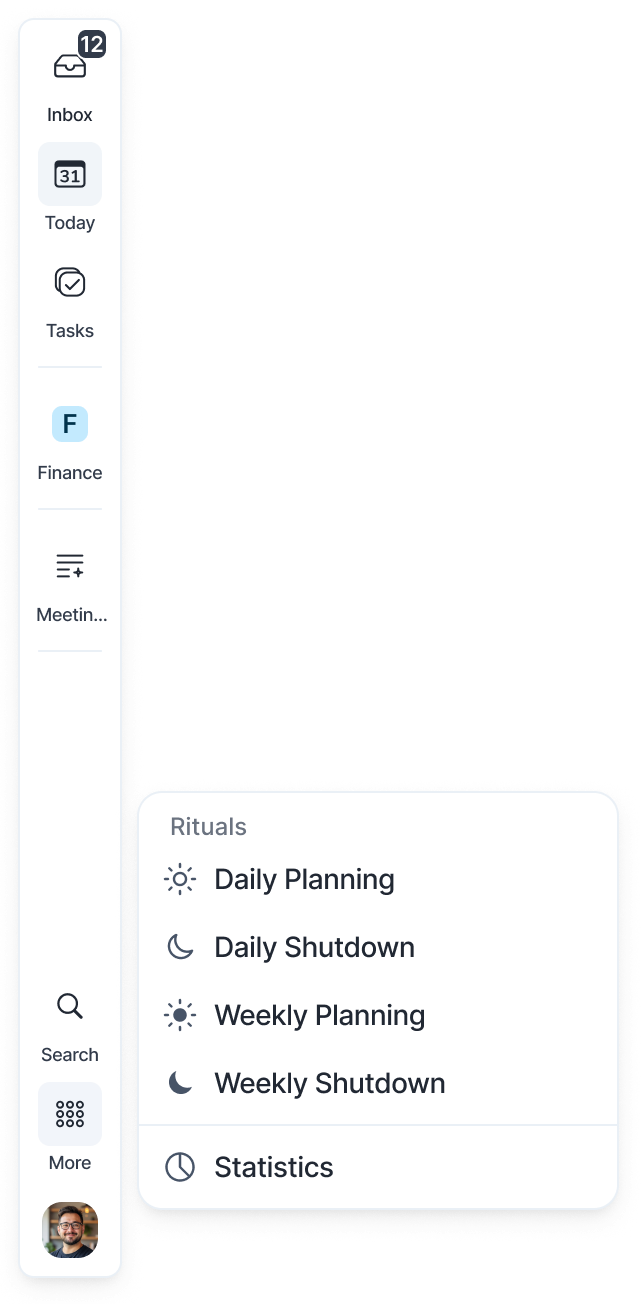
Click More in the menu on the left. Under Rituals you'll find:
Daily Planning
Daily Shutdown
Weekly Planning
Weekly Shutdown
Akiflow guides you through all of that with Goal management, Day Rating, Reflection, and more!
We highly recommend completing them, to organize your schedule wisely and keep track of your daily performance.
Weekly Planning
The Weekly Planning ritual helps you reflect on the past week and prepare intentionally for the one ahead. Review your progress, celebrate wins, and identify areas to improve. Then, set clear goals and priorities to ensure your time and focus align with what truly matters for the upcoming week.
Weekly Planning Steps
Last Week’s recap. Review your completed and overdue tasks from last week.
Review last Week’s goals.
Write your Weekly Goals. These are tasks with the ‘Goal’ priority.
Jot down any Notes you want for reference. You’ll find them at the bottom of the Today page.
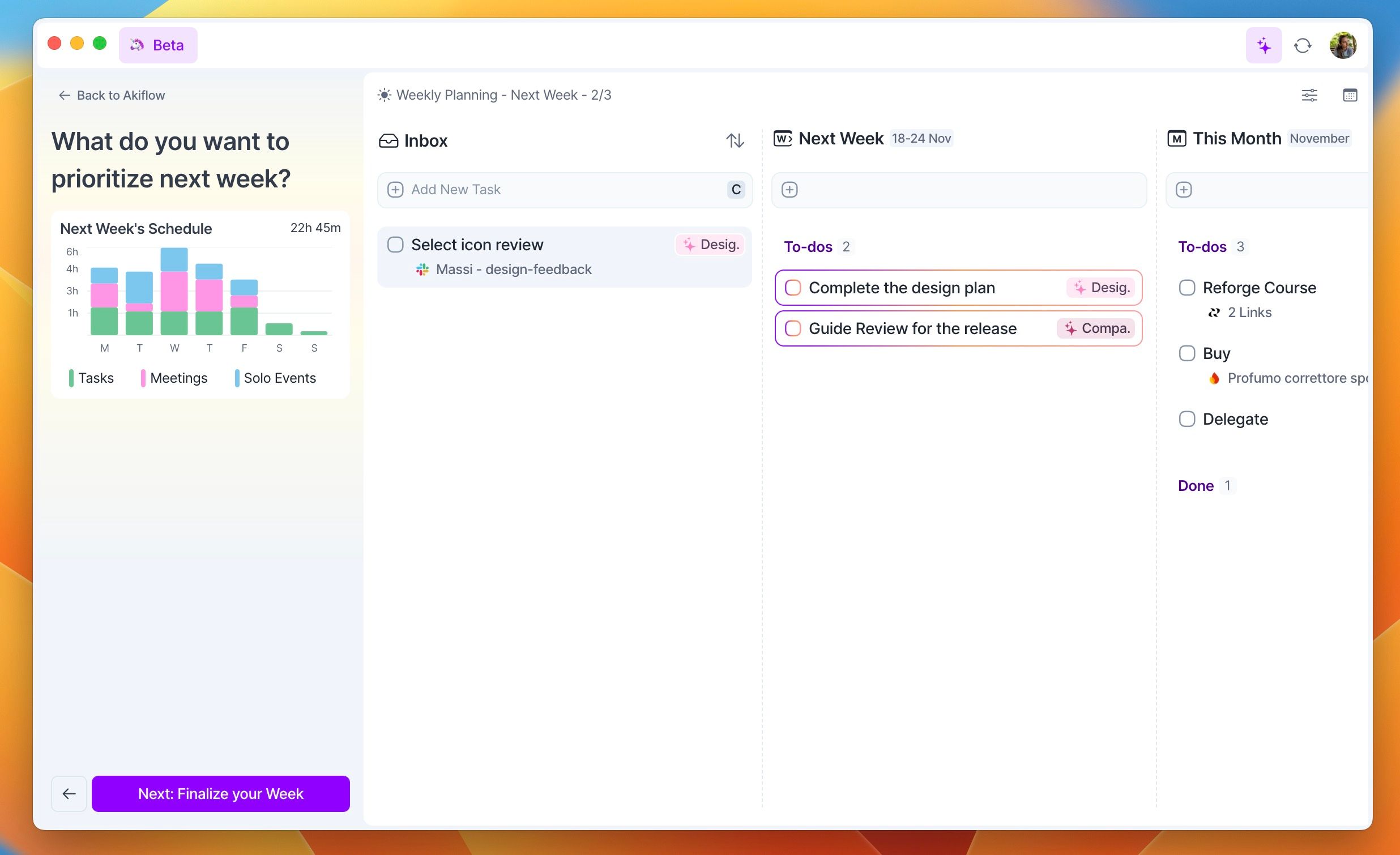
Add to the Week time frame any to-do from Inbox, Month or Someday you want to prioritize.
Finalize your Plan by creating Time Slots and time-blocking all your tasks!
If you haven’t completed your Weekly Shutdown, that will be the first step of the Weekly Planning for the following week!
Weekly Shutdown
As your workweek comes to an end, and you’re planning your brunch with your friends, take 5 minutes to wrap up your week and review everything you've accomplished.
Weekly Shutdown Steps
Review your Stats
Reflect on everything you accomplished
Review your Goals and Notes
Plan Next Week if you like!
Wrap up your week with your mind at ease.
Daily Planning
Start your day right with the Daily Planning ritual: plan ahead to manage your time efficiently.
Daily Planning Steps
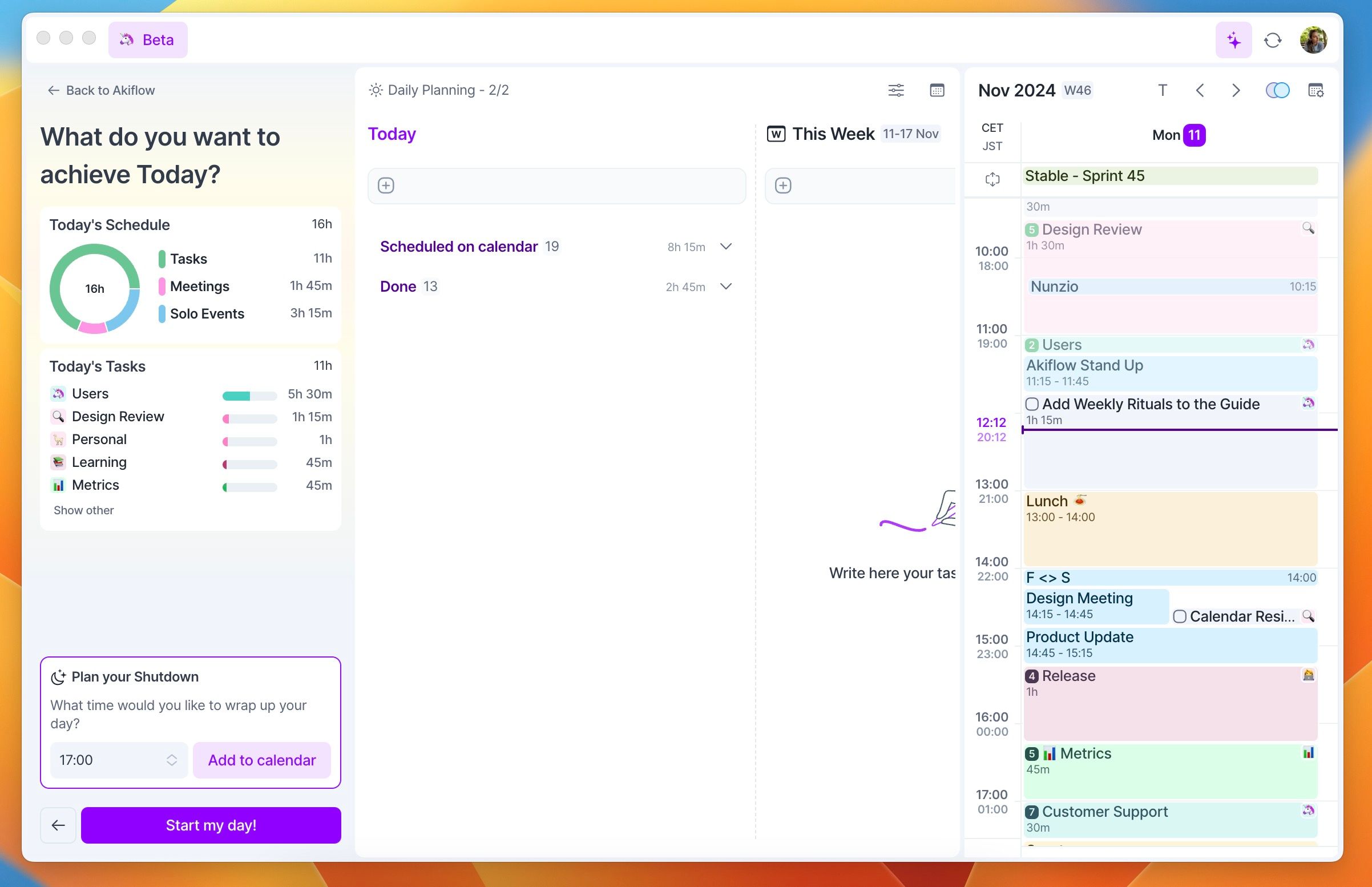
Yesterday’s Recap.
Check Inbox, This Week and Month to-dos to be sure that everything important is planned!
Decide what to focus on today and defer non-urgent tasks.
Plan your custom Shutdown
Add a task to the calendar to be reminded to wrap up your day!
If you haven’t completed your Daily Shutdown, that will be the first step of the Daily Planning for the following day!
Daily Shutdown
As your workday comes to a close, the Daily Shutdown ritual helps you wrap up and review everything you've accomplished.
Daily Shutdown Steps
Check the tasks completed today and analyze how you spend your time
Rate your Day
Plan Tomorrow if you like!
Wrap up your day with your mind at ease.
How do I get notified for my Rituals?
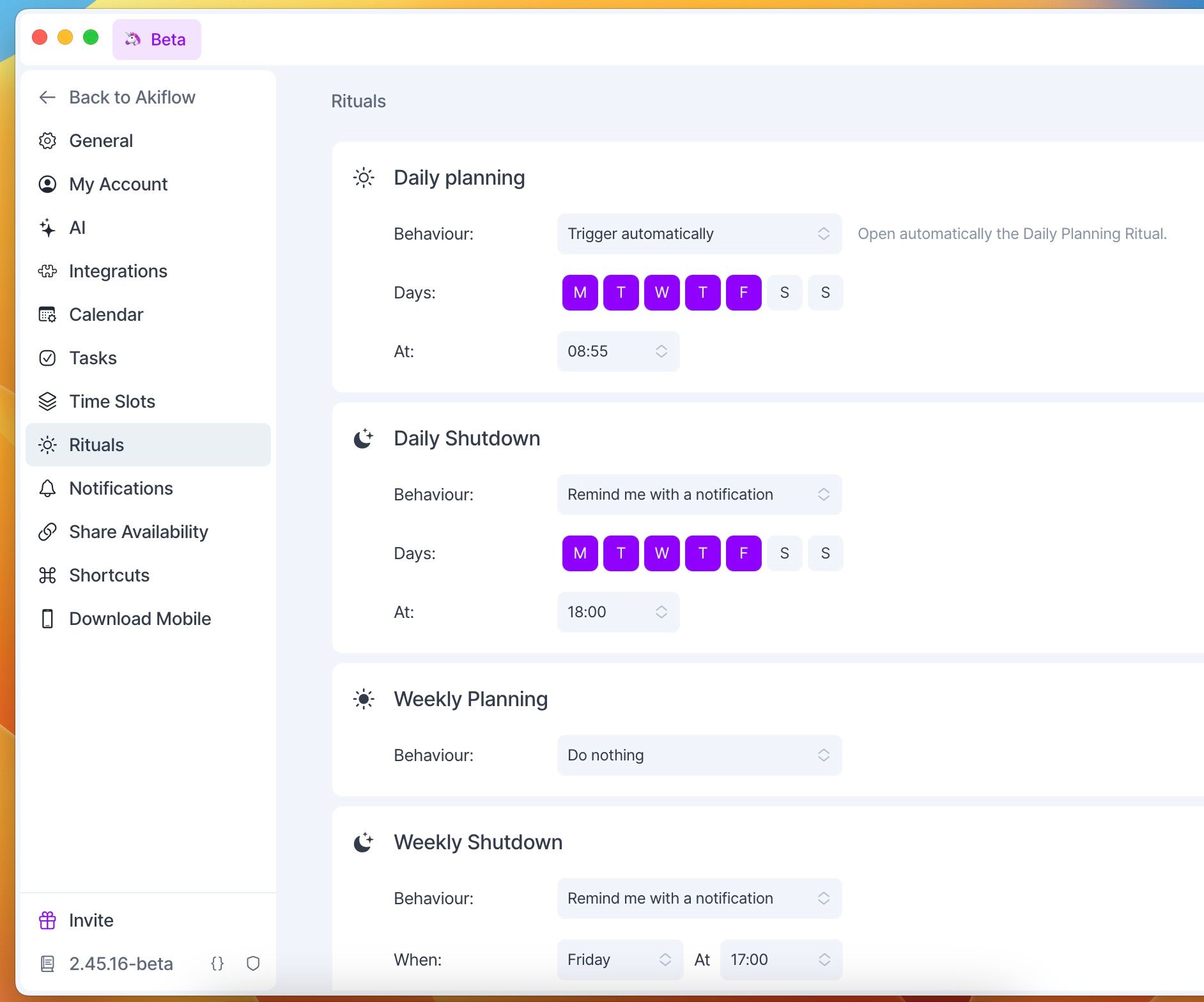
Go to Settings > Rituals to customize when Akiflow should remind you to do your Rituals.
You can have the Daily Planning open automatically.
You can plan the Shutdown at custom times every day!
Need help?
Reach out to our team at support@akiflow.com. We're happy to help!
Join our community to ask questions, share your workflow tips, and connect with other Akiflow users who can help you get even more out of Akiflow.
Was this helpful?
Still need help? Ask the team