Deadline Alerts
Never miss a deadline again! You will find a flag on any day header in calendar to mark any day with unfinished deadlines.
How does it work?
When you set a deadline, it instantly shows up in your calendar with a clear visual alert, so you can spot important tasks at a glance. You’ll also see a warning in your tasklist whenever something needs your attention.
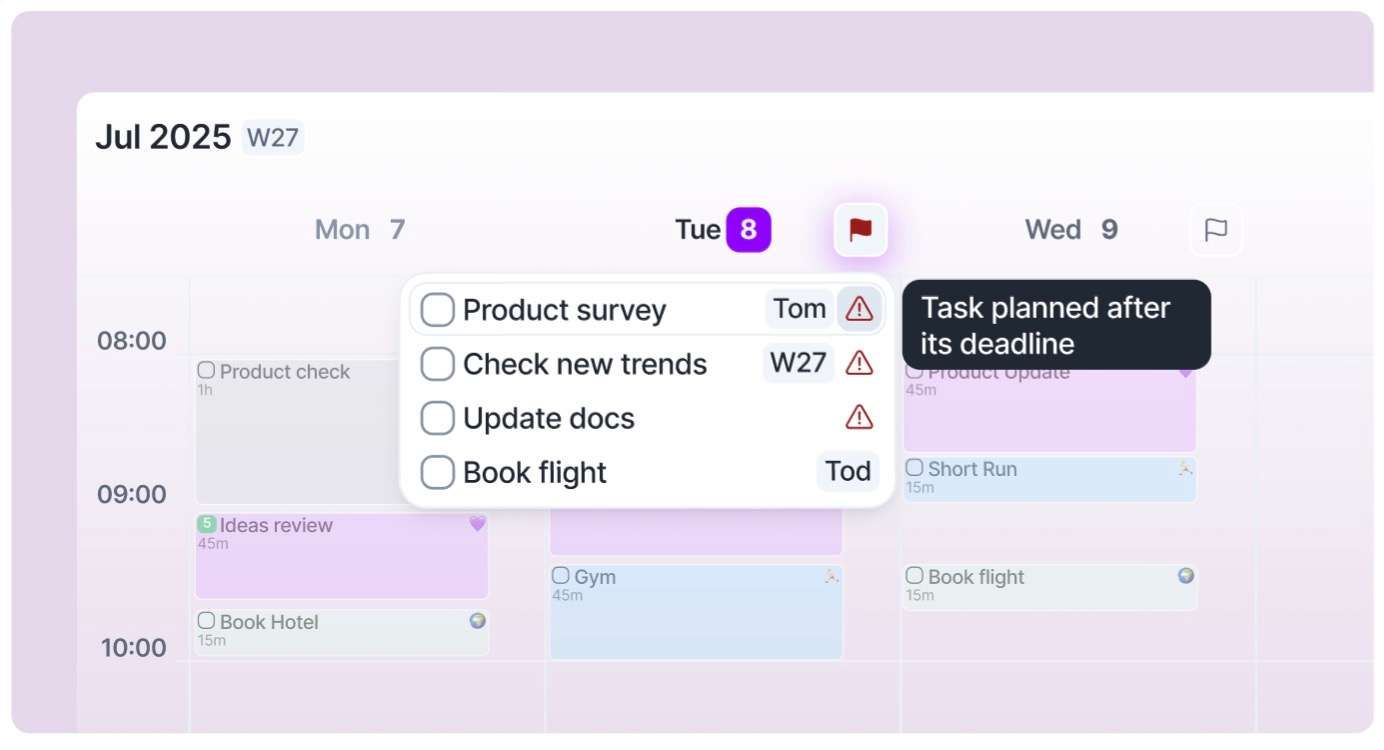
Current Warnings
The due date is in the past
The task is planned for a date after the deadline
Deadline is in less than 4 days and the task has no plan date (Inbox) or it's planned for a Timeframe (This Week, Next Month, Someday, etc).
Need help?
Reach out to our team at support@akiflow.com. We're happy to help!
Join our community to ask questions, share your workflow tips, and connect with other Akiflow users who can help you get even more out of Akiflow.
Was this helpful?
Still need help? Ask the team