Microsoft Teams
With the Akiflow integration, you can create tasks from your Microsoft Teams messages. The tasks will be visible in Akiflow, and you can plan and decide when to reply to them.
How to integrate with Microsoft Teams
Go to Settings → Integrations → And click on Microsoft Teams
After clicking Connect, you’ll be redirected to Microsoft Teams, where you can add Akiflow as a new integration.
Akiflow Shortcut to turn messages into tasks
Click on the 3 dots on a selected message and select Create Akiflow task. It may be hidden under “More actions”. These messages will be automatically imported as tasks into Akiflow.
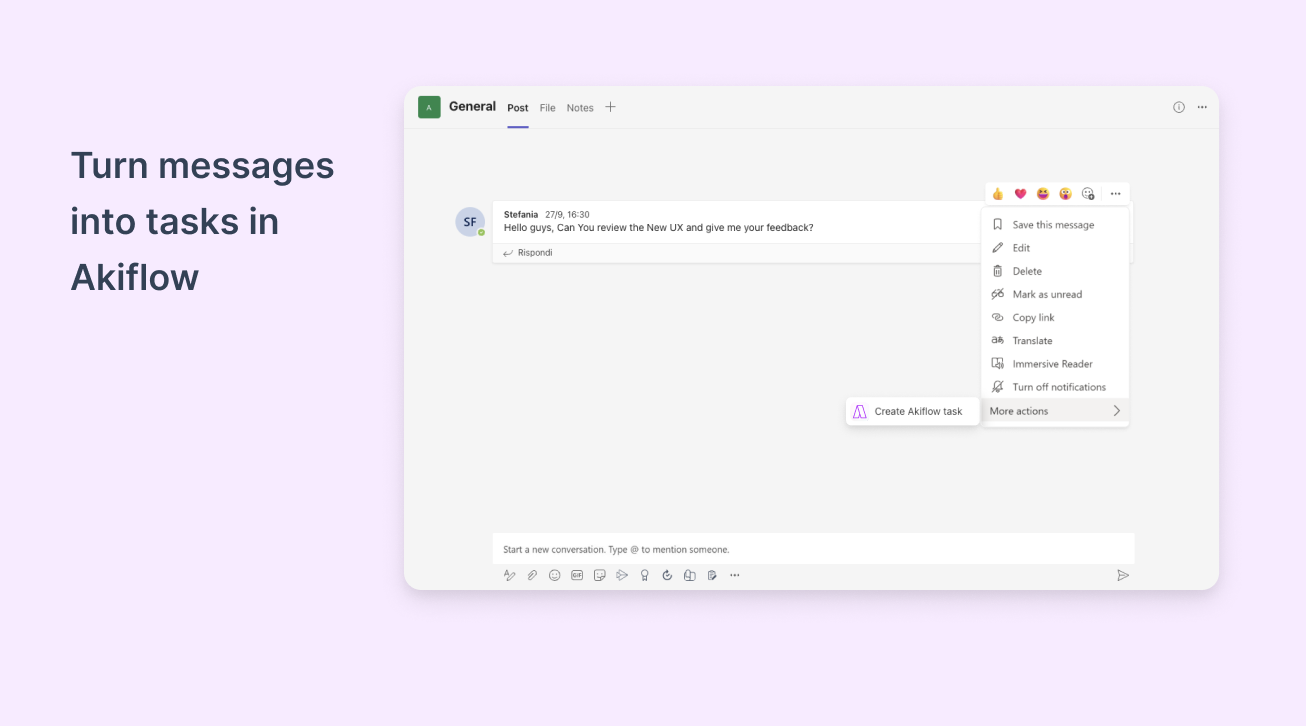
Hit O as Open on a task to be redirected to the Microsoft Teams source message.
FAQ
Can I connect more accounts?
Can I connect more accounts?
You can connect as many Microsoft Teams accounts as you want!
What happens when I complete an imported task from Microsoft Team
What happens when I complete an imported task from Microsoft Team
When you mark as done a task on Akiflow, nothing happens to the source task (your Microsoft Teams message).
What happens to the original message when I delete a task on Akiflow?
What happens to the original message when I delete a task on Akiflow?
When you delete a task on Akiflow, nothing happens to the source task (your Microsoft Teams message).
Was this helpful?
Still need help? Ask the team