GitHub
You can now keep track of all your GitHub Issues and Pull Requests directly from Akiflow.
How to integrate with GitHub
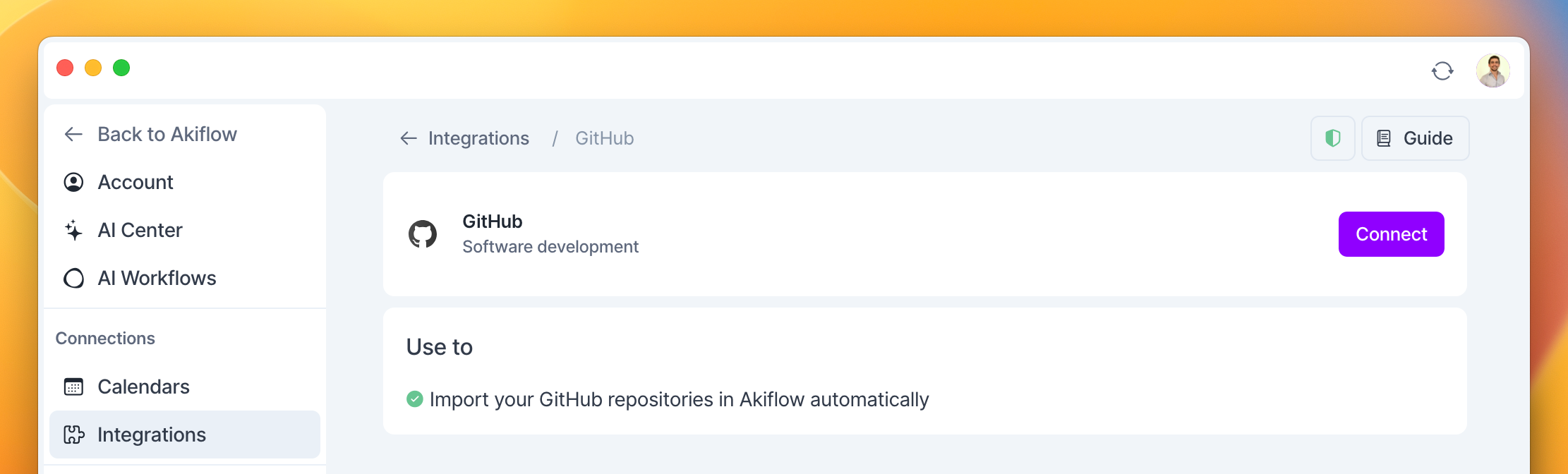
Go to Settings → Integrations → And click on GitHub!
Hit on “Connect”
Add your Repositories
Configure your import options
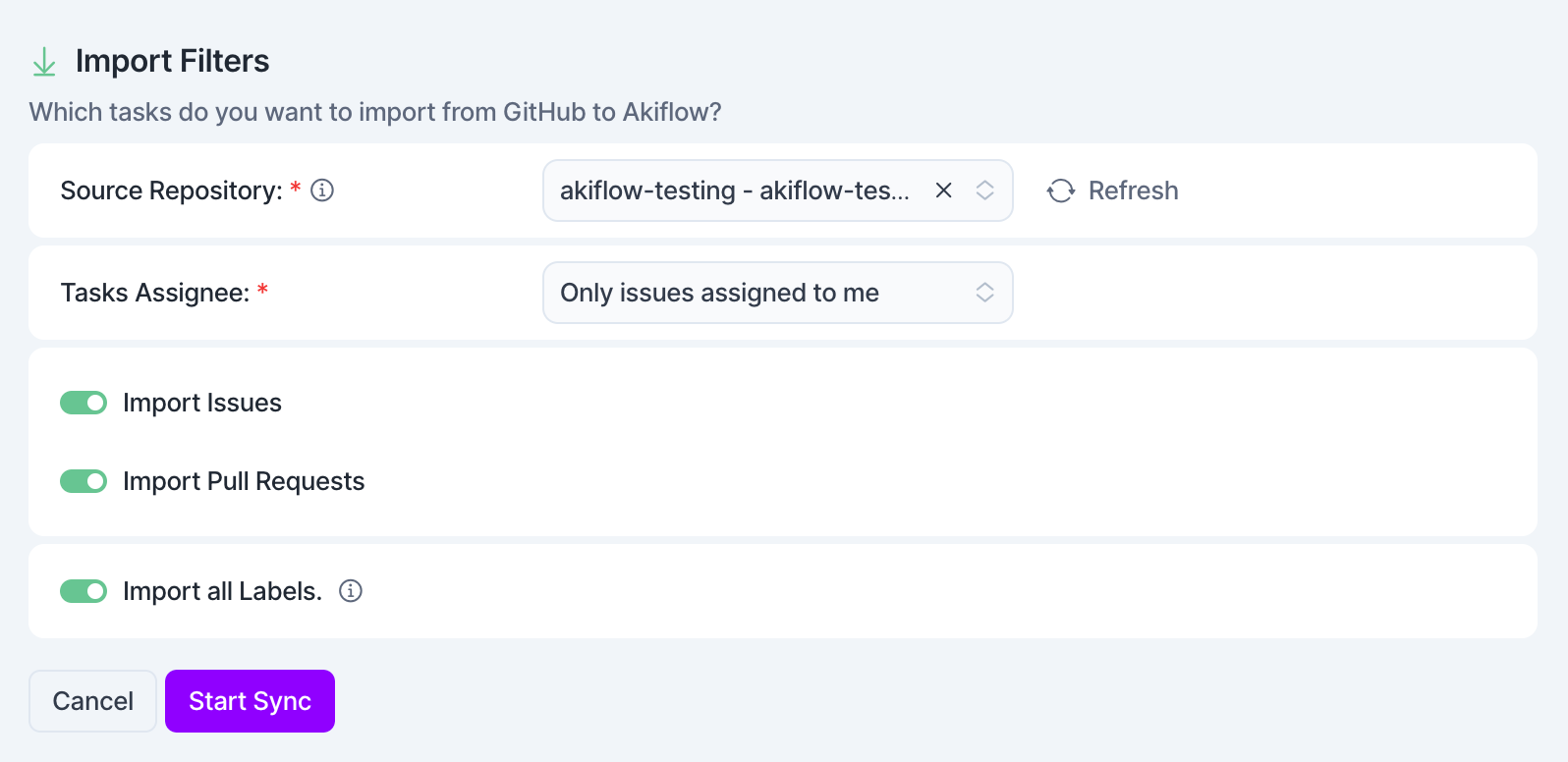
How to configure your Repositories in Akiflow
Akiflow imports your tasks from your selected repositories.
Select what task to import
Assignee: you can import all tasks or only those assigned to you.
Issues and Pull Requests: turn on/off what tasks you want to import
Labels: you can turn off the Import all labels option to select which labels to import in Akiflow. Note that labels will not be imported into your tasks.
Tip: Hit O as Open on a selected task to be redirected to your GitHub task
FAQ
Can I connect more accounts?
Can I connect more accounts?
You can connect as many GitHub accounts as you want!
What happens when I complete a GitHub task in Akiflow?
What happens when I complete a GitHub task in Akiflow?
A popup will appear with the following options:
Mark as done in Github
Go to GitHub
Do nothing
We can remember your choice if you select this option!
I imported too many tasks, what can I do?
I imported too many tasks, what can I do?
Pick which GitHub tasks to delete:
Multi-selecting tasks and hit
backspace→ How to bulk edit tasks
Delete all your tasks
Go to Settings → Integrations → GitHub.
Click on the button “Delete all imported tasks”. This action will delete all the tasks imported so far from GitHub in Akiflow. Nothing will happen to your source tasks in GitHub.
Disconnect your GitHub account by clicking on the bin icon in the top right corner of this page.
Reconnect GitHub by going back to Integrations → GitHub.
Start from scratch
Go to Settings → Integrations → GitHub
Click on the button “Reset Integration”. This action will delete all the tasks imported so far from GitHub in Akiflow and then re-import them again according to the new import options. Nothing will happen to your source tasks in GitHub.
When I delete a task on Akiflow, what happens to my GitHub tasks?
When I delete a task on Akiflow, what happens to my GitHub tasks?
When you delete a task on Akiflow, nothing happens to the source task in GitHub.
How are GitHub and Akiflow synched?
How are GitHub and Akiflow synched?
Akiflow and GitHub are 2-way synched.
Any changes you make in Akiflow to the task's title and status (done/undone) will be reflected on GitHub and the other way around!
How do I access private repositories from GitHub in Akiflow?
How do I access private repositories from GitHub in Akiflow?
Check GitHub Permissions:
Go to https://github.com/apps/akiflow and click Configure
Or go to GitHub → Settings → Applications → Installed GitHub Apps.
Find Akiflow and click Configure.
Ensure that Akiflow has access to your private repositories. If not, update the repository access settings.
Reconnect GitHub in Akiflow:
Open Akiflow and go to Settings → Integrations → GitHub.
Disconnect and reconnect your GitHub account to refresh permissions.
Ensure You Have Access to the Private Repos:
If the repositories belong to an organization, ensure that your GitHub role allows third-party integrations to access private repositories.
The organization owner may need to approve Akiflow’s access.
Restart Akiflow:
Close and reopen Akiflow to check if your private repositories appear.
How do I add GitHub repositories that are not in my personal GitHub account (i.e. they’re in my organization)?
How do I add GitHub repositories that are not in my personal GitHub account (i.e. they’re in my organization)?
Check GitHub Permissions:
Go to https://github.com/apps/akiflow and click Configure
Add Akiflow to your private repositories under your account or organization, and they should then appear in Akiflow
Ensure You Have Access to the Private Repos:
If the repositories belong to an organization, ensure that your GitHub role allows third-party integrations to access private repositories.
The organization owner may need to approve Akiflow’s access.
Restart Akiflow:
Close and reopen Akiflow to check if your private repositories appear.
How do I get my private repositories after installing the GitHub App through Developer Settings?
How do I get my private repositories after installing the GitHub App through Developer Settings?
1. Install the GitHub App Properly
In the app via Developer Settings → GitHub Apps → Install App, ensure that:
You selected All repositories or manually chose the private repositories you want it to access.
Make sure the installation was successfully completed.
2. Check GitHub App Permissions
Go to GitHub → Settings → Developer Settings → GitHub Apps (Select the one you installed/created) and:
Select your GitHub App.
Under Permissions & Events, ensure the app has:
Repository permissions → Read access to Repository contents
Repository permissions → Read access to Metadata
If your private repositories are missing, your app might not have the right access level (If it’s part of a organization which you’re not the admin/owner).
3. Reauthorize the App (If Needed)
Go to GitHub → Settings → Applications → Installed GitHub Apps.
Find your GitHub App and reinstall it with the correct repository access.
My issues are not importing labels or their description
My issues are not importing labels or their description
Currently, imported tasks will include only their title and GitHub URL. Labels and descriptions are not imported at this time.
Was this helpful?
Still need help? Ask the team