Setting Goals
Want to make real progress instead of just checking off random tasks? Goals help you focus on what truly moves the needle.
Why Setting Goals Matters
Want to make real progress instead of just checking off random tasks? Goals help you focus on what truly moves the needle.
Following the 80-20 rule (or Pareto Principle), the idea is simple:
20% of your tasks contribute to 80% of your progress
Your 2-3 daily Goals are the high-impact tasks that make the biggest difference
By setting Goals in Akiflow, you can:
Prioritize what matters most
Stay focused and avoid distractions
Keep your most important tasks visible in your schedule
Identify and prioritize 2-3 Goals among all your daily activities that represent 80% of your progress of the day.
How to set Goals in Akiflow
Shortcut: Hit the shortcut
Hto set a task as your priority Goal.Task pop-up: You can also click on a task and click the
priority iconCommand bar: open the Command Bar and click on Make Goal.
How do I see my goals?
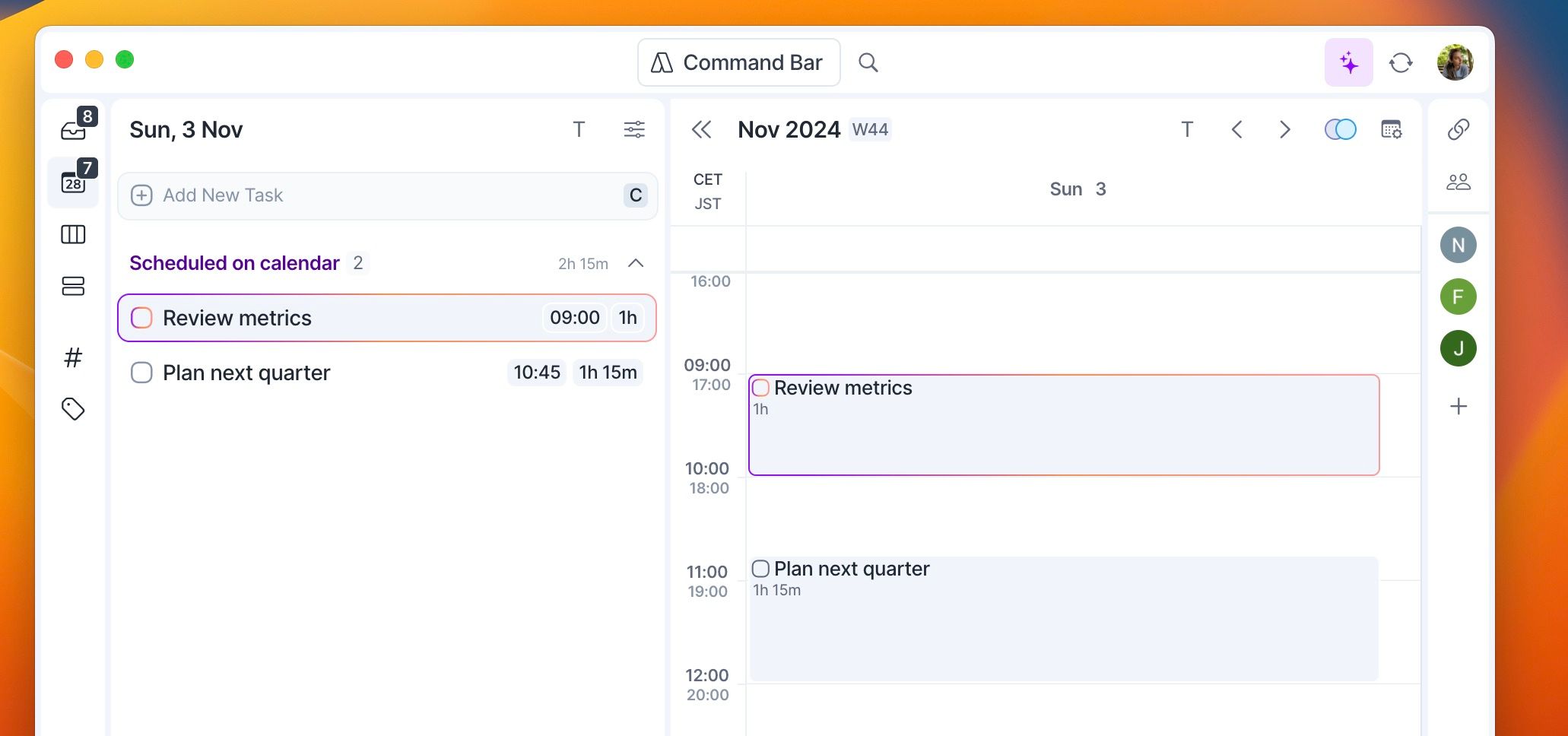
Goals work just like regular tasks in Akiflow, but you can easily spot them thanks to their colored border. You can assign any time frame to a goal such as a specific date, date and time, week, or month.
Create Weekly and Monthly Goals
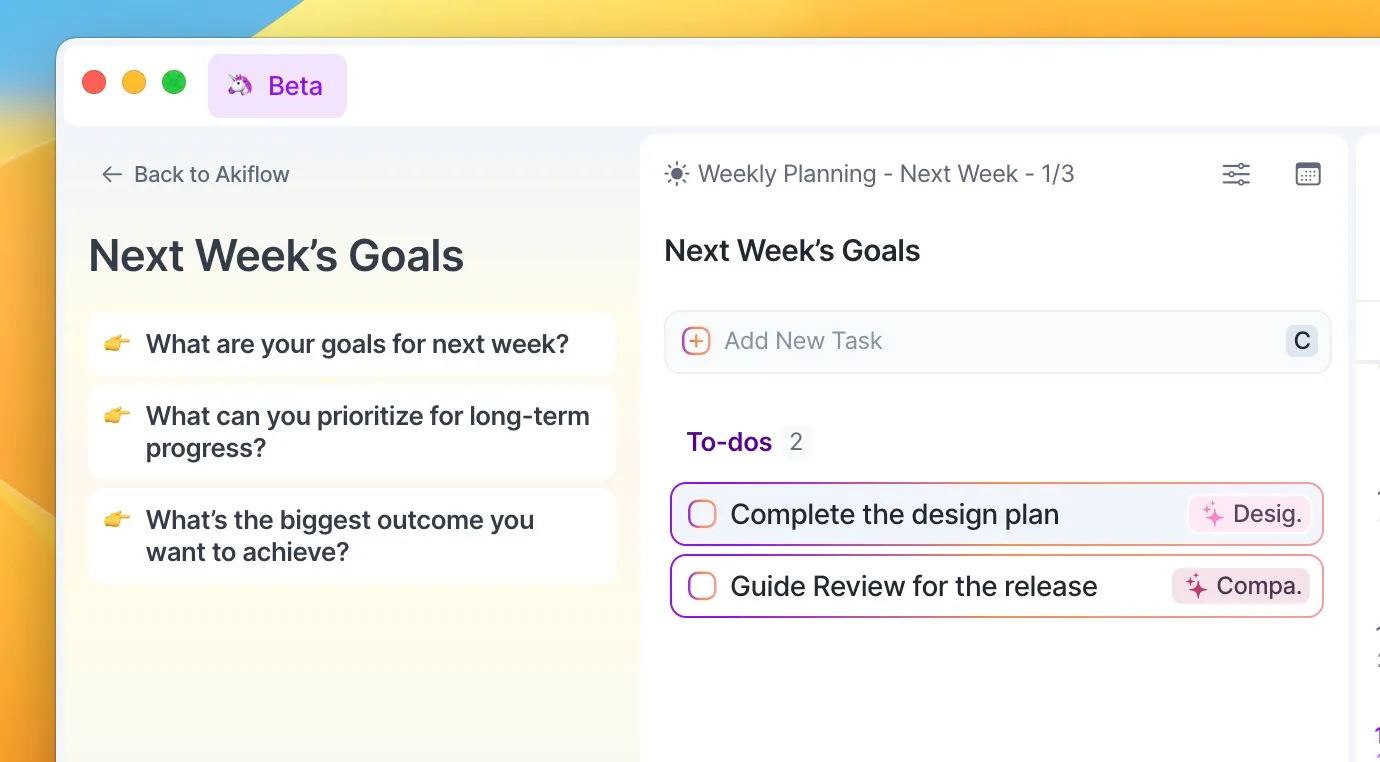
While during your Weekly Rituals, Akiflow will prompt you to add your Goals for the week.
These are tasks with the ‘Goal’ priority, and they can both stay in your Week time frame or can be planned for a specific day (the Goals’ dates are also directly visible when you’re doing your Rituals, ensuring you stay on top of your goals).
You can always review your weekly and monthly tasks on the Upcoming Page.
Need help?
Reach out to our team at support@akiflow.com. We're happy to help!
Join our community to ask questions, share your workflow tips, and connect with other Akiflow users who can help you get even more out of Akiflow.
Was this helpful?
Still need help? Ask the team