Focus timer
The Focus Timer allows you to structure your work with timed focus sessions and scheduled breaks. Our goal is to help you master your days by maximizing your focus and minimizing distractions.
How to Use the Focus Timer
Start the Focus Timer and your Focus cycle from the timer in the center of the top bar.
Four (4) work sessions make up one full Focus cycle. Each work session lasts 25 minutes by default, but this is customizable depending on your preferences.
There is a 5-minute short break after each work session. After the 4th work session, there is, by default, a longer break of 15 minutes.
Sound: With a nice sound, it’ll remind you when it’s time to start a break or your next Focus session. You got this!
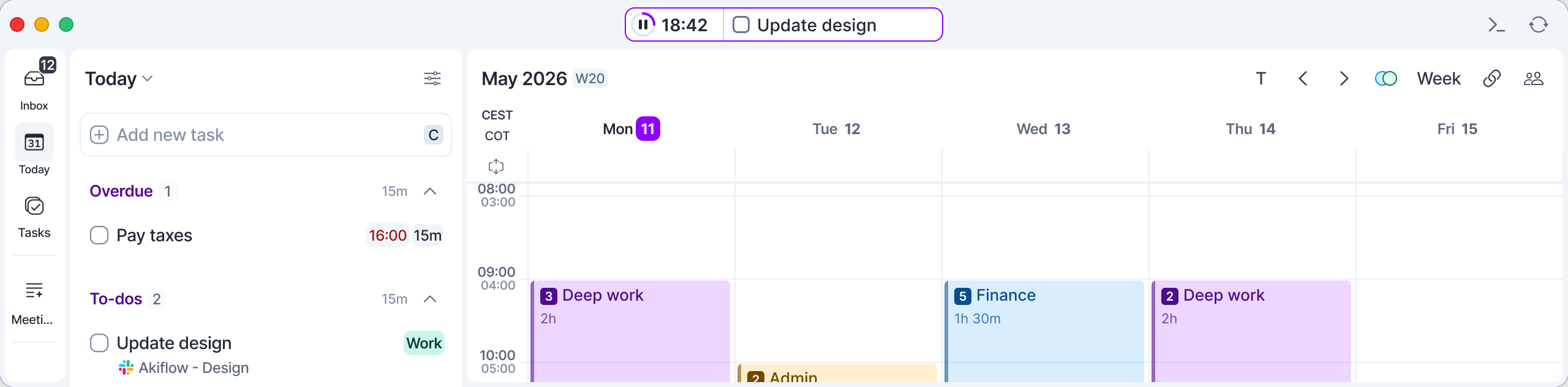
Best in the desktop app: In the web app, the Focus Timer works once you've used the desktop app at least once, and the floating widget is only available in the desktop app. Download it here.
Customizing the Focus Timer
Click the three dots in the timer to open Settings, where you can change the timer durations and turn the floating widget on or off. While a session is running, hover over the timer to show the three dots.
Focus: Set how long each focus session lasts.
Break: Choose the duration of short breaks between focus sessions.
Long break: Define how long your extended break will be after completing a full focus cycle.
Below, you’ll find automation options to streamline your workflow:
Auto start break: When enabled, your break starts automatically right after a focus session ends.
Auto start focus: When enabled, your next focus session begins automatically once a break is over.
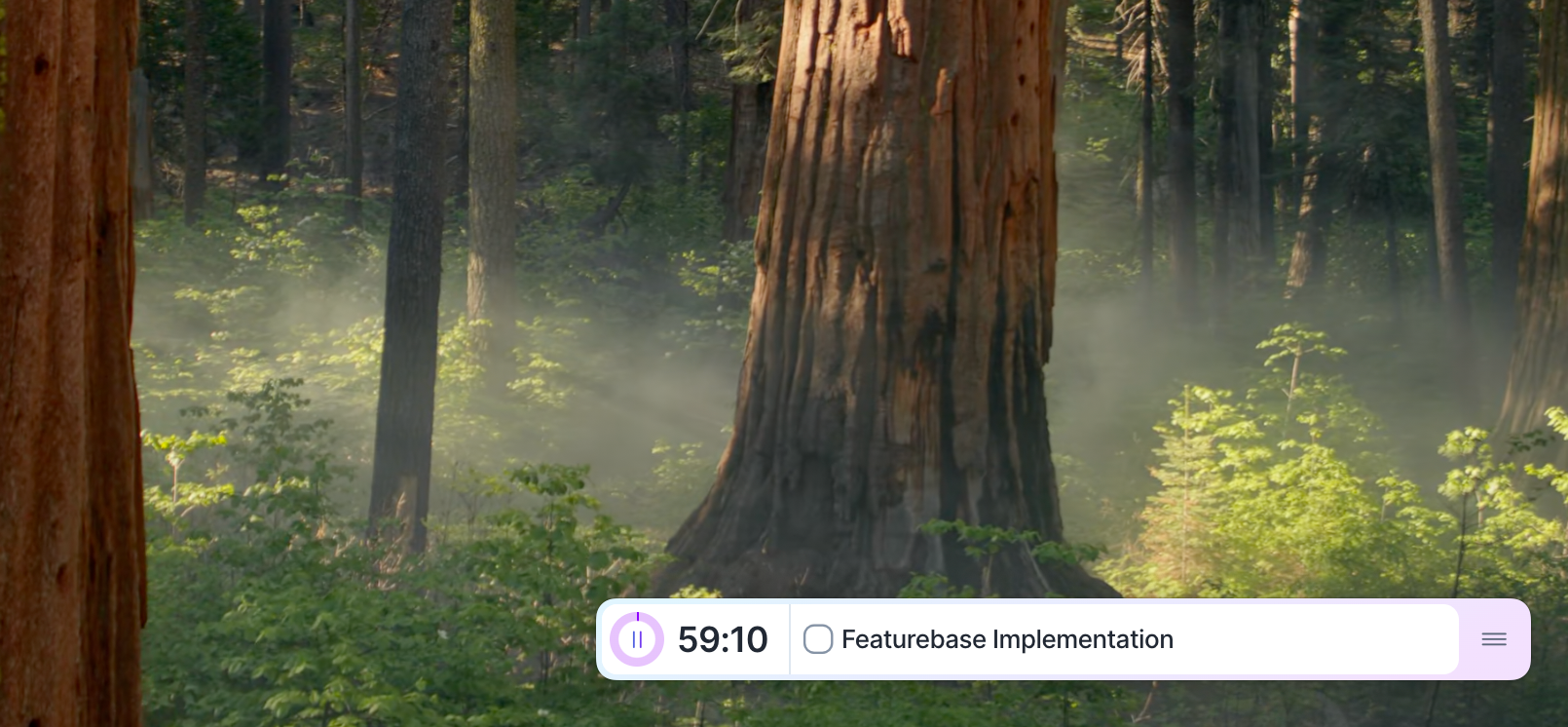
Finally, in the desktop app you can turn on the Floating widget to keep the timer visible on your screen while you work. Perfect for tracking your sessions without switching views.
Floating Widget
The floating widget remains visible on screen but can be hidden by toggling off the Floating widget option in the Settings. To re-enable it, go back to the Settings and toggle the option back on. Akiflow remembers your preference (open/closed) for future sessions.
1/4 shows you which work session in this Focus cycle you’re on. Four (4) work sessions make up one full Focus cycle. You can also pause, skip, or reset your sessions.
The timer shows your current task: the first open task on your Today list. Hover over the task and use the arrows to switch to the previous or next one, or click its title to open it. When you tick its checkbox, the next task appears.
FAQ
Why can’t I see the floating widget?
Why can’t I see the floating widget?
Check that you have it toggled on in the Focus Timer’s settings.
Why don’t I hear a sound?
Why don’t I hear a sound?
If sounds aren’t playing, ensure your system audio is enabled and the volume is sufficient.
Was this helpful?
Still need help? Ask the team