Linear
You can now keep track of all your Linear issues directly from Akiflow.
How to integrate with Linear
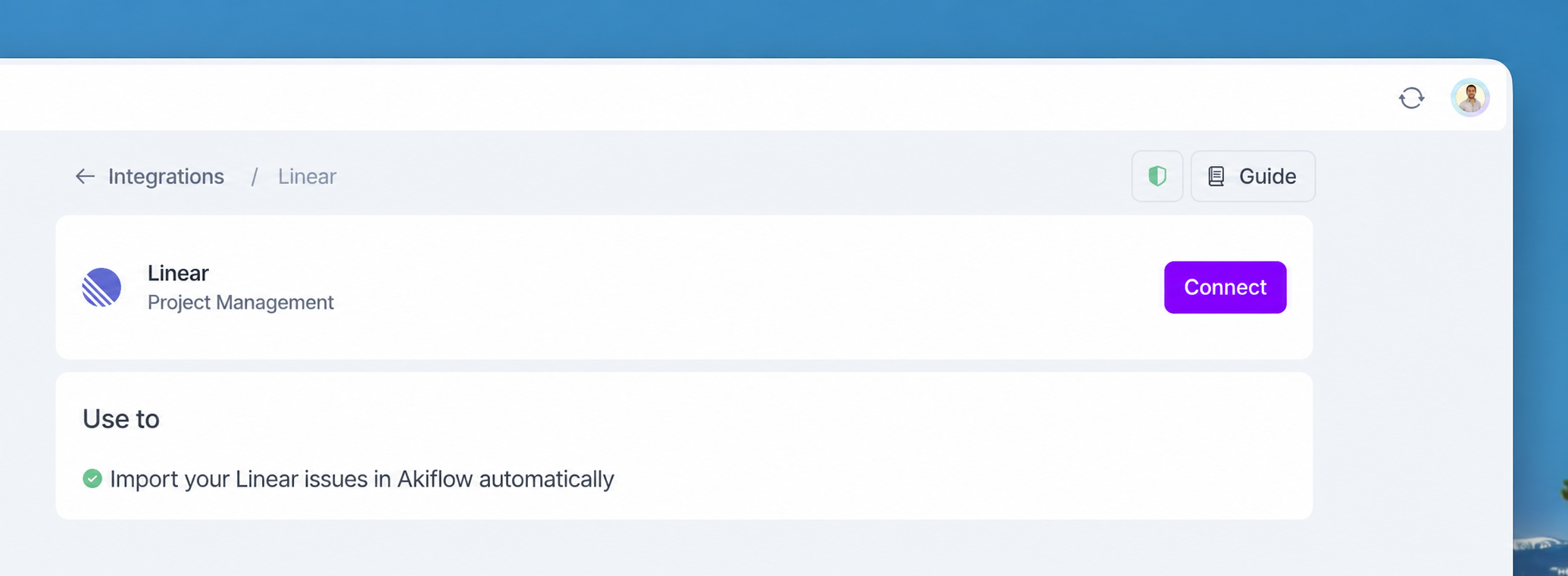
Go to Settings → Integrations → And click on Linear!
Click Connect
Add your issues
Configure your import options
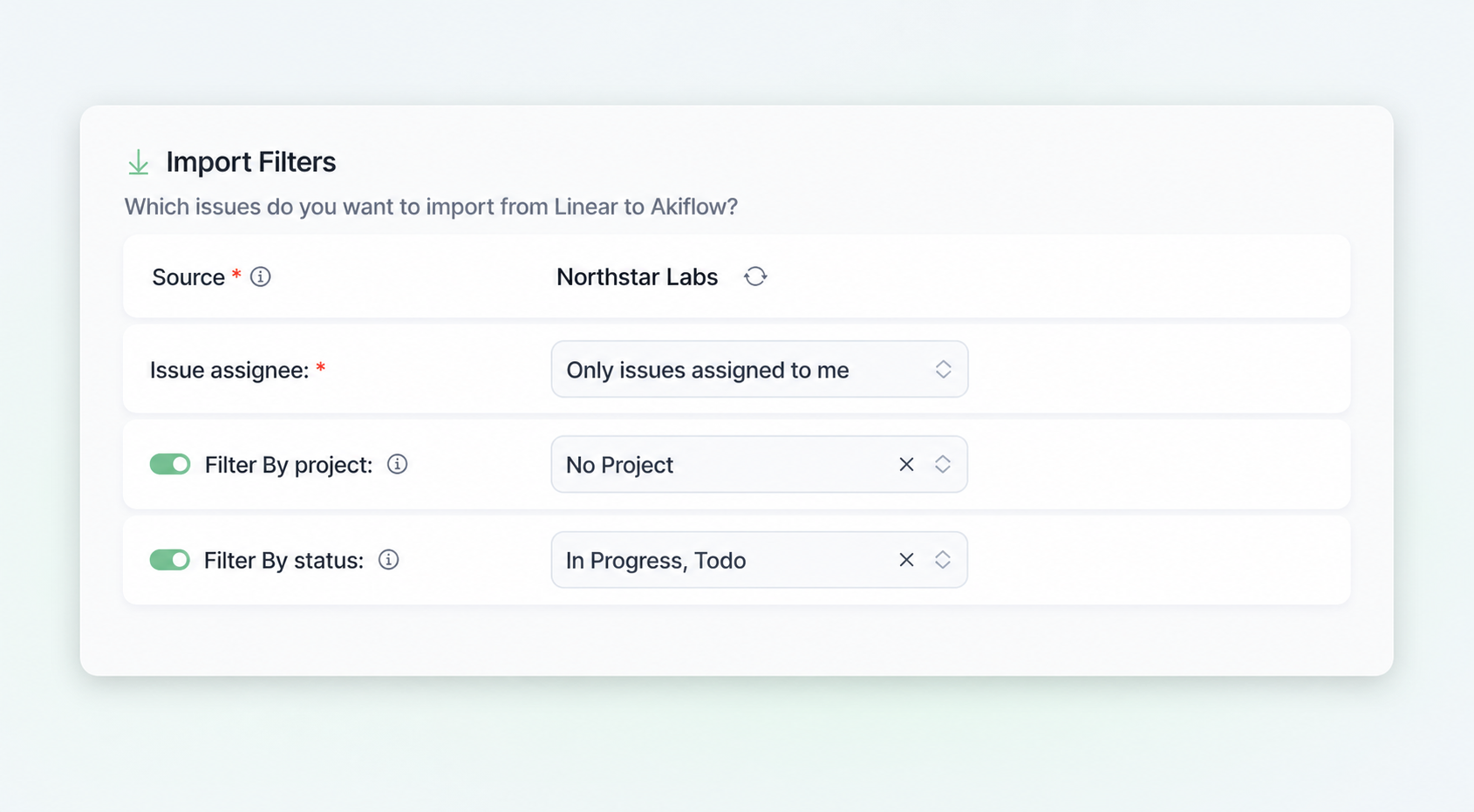
How to configure your Projects in Akiflow
Akiflow imports issues from your connected teams and selected projects, and creates an Akiflow task for each one.
Issue assignee: choose to import all issues or only issues assigned to you.
Filter by Project: choose which Linear projects you want to import issues from into Akiflow. Only issues from the selected projects will be synced and shown in your task list.
Filter by Status: choose which Linear issue statuses you want to import into Akiflow. Only issues matching the selected statuses will be synced and shown in your task list.
Import sub-issues: turn this on to also import the sub-issues of the issues matching your filters. Sub-issues will be imported as Akiflow tasks. They are not nested as subtasks under the task created from their parent issue.
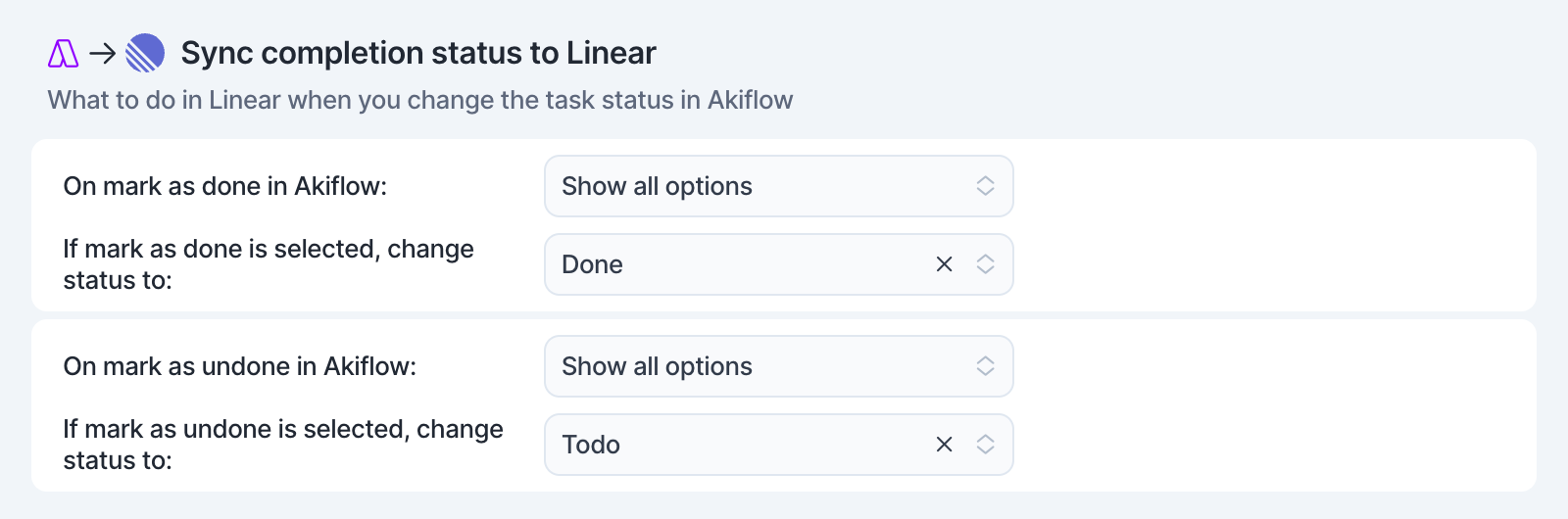
Sync Completion Status to Linear
Define how status changes on an Akiflow task reflect on its linked Linear issue:
Mark as done in Akiflow → Choose the corresponding done status for the linked Linear issue.
Mark as undone in Akiflow → Choose the corresponding to-do status for the linked Linear issue.
Tip: Press O (Open) on a selected task to open the linked Linear issue.
FAQ
Can I connect more accounts?
Can I connect more accounts?
You can connect as many Linear accounts as you want!
What happens when I complete a task imported from Linear?
What happens when I complete a task imported from Linear?
A popup will appear asking whether you want to update the linked Linear issue, with the following options:
Mark as done in Linear
Go to Linear
Do nothing
We can remember your choice if you select that option!
I imported too many issues, what can I do?
I imported too many issues, what can I do?
Pick which imported tasks to delete:
Multi-selecting tasks and hit
backspace→ How to bulk edit tasks
Delete all imported tasks
Go to Settings → Integrations → Linear
Click on the button Delete all imported tasks. This action will delete all the tasks imported so far from Linear in Akiflow. Nothing will happen to your source issues in Linear.
Disconnect your Linear account by clicking on the Disconnect integration in the top right corner of this page.
Reconnect Linear by going back to Integrations → Linear
Start from scratch
Click on the option Reset integration. This action will delete all the tasks imported so far from Linear in Akiflow and then re-import them again according to the new import options. Nothing will happen to your source issues in Linear.
When I delete a task in Akiflow, what happens to my Linear issue?
When I delete a task in Akiflow, what happens to my Linear issue?
When you delete a task in Akiflow, nothing happens to the source issue in Linear.
How are Linear and Akiflow synced?
How are Linear and Akiflow synced?
Akiflow and Linear are two-way synced.
Any changes you make in Akiflow to the task's title, due date, priority and status (done/undone) will be reflected on the linked Linear issue, and the other way around!
Why aren't issues from archived Linear projects being imported?
Why aren't issues from archived Linear projects being imported?
Archived Linear projects are not supported by the Akiflow integration.
Akiflow only imports issues from active Linear projects. If a project is archived in Linear, issues belonging to that project will no longer be imported or synced into Akiflow, even if the project was previously selected in your import filters.
To import issues from that project again, you’ll need to unarchive the project in Linear first. Once the project becomes active again, issues will sync normally according to your selected filters.
Why aren’t my Linear projects automatically mapped to Akiflow projects?
Why aren’t my Linear projects automatically mapped to Akiflow projects?
Issues imported from Linear become Akiflow tasks, but Linear projects are not automatically converted or mapped to Akiflow projects.
The "Filter by Project" option only controls which Linear projects issues are imported from. It does not assign the imported tasks to a specific Akiflow project automatically.
• There is no automatic project mapping between Linear and Akiflow
• Tasks created from Linear issues need to be organized manually inside Akiflow
• You can use filters, bulk actions, and manual project assignment to organize imported tasks after sync
Was this helpful?
Still need help? Ask the team