Slack
Go to Settings → Integrations → And click on Slack!
Save Messages to turn them into tasks
Saved messages in Slack will be automatically imported as tasks into your Akiflow inbox.
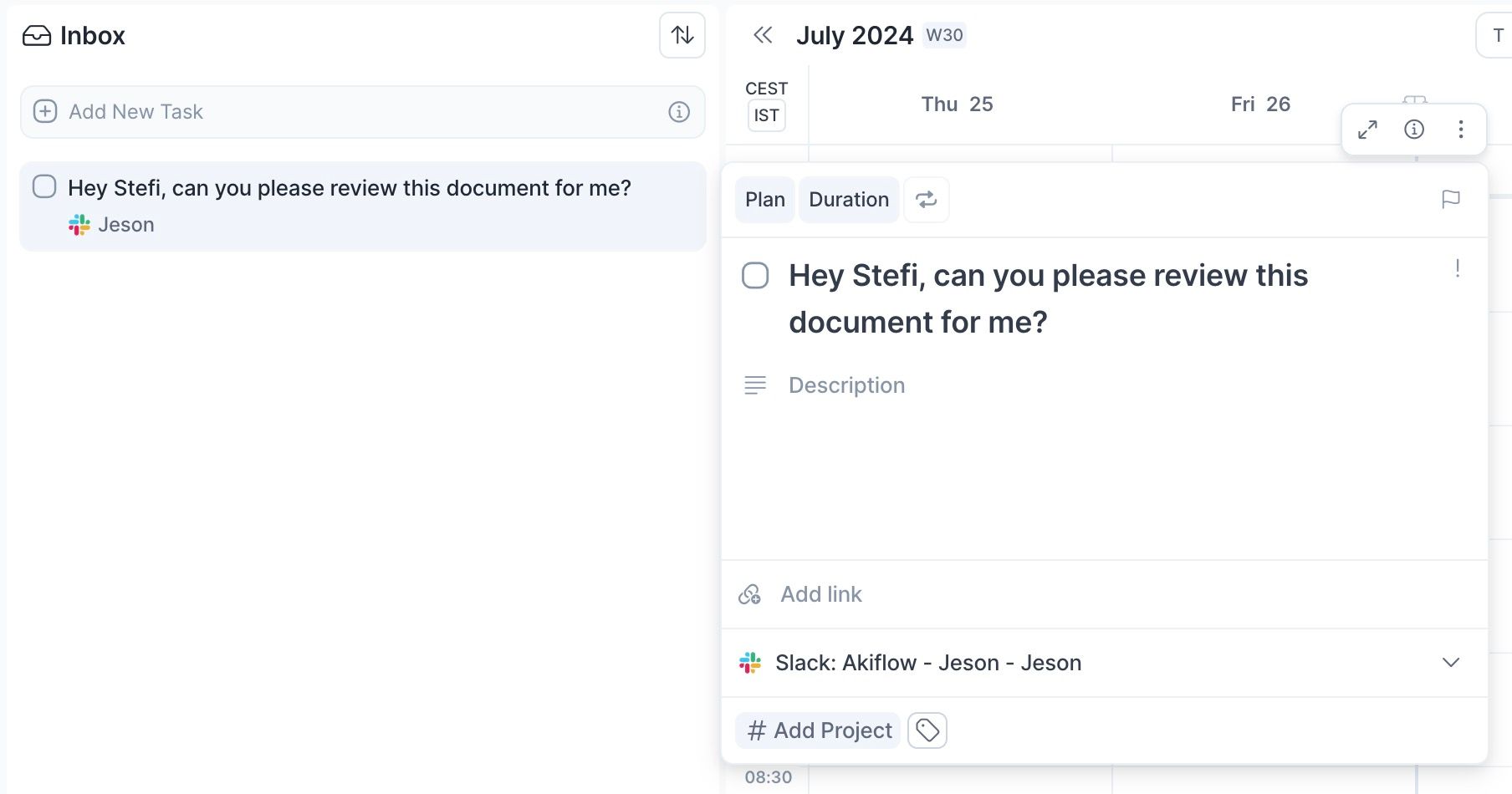
Hit O as Open on a task to be redirected to the Slack source message
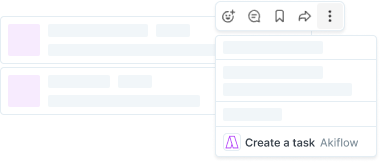
Akiflow Shortcut to save tasks
You can click on the 3 dots on a selected message and select Create a task.
It may be hidden under More message shortcuts.
FAQ
What permissions is the Slack integration asking for?
What permissions is the Slack integration asking for?
The permission is titled content and info about channels, but this refers to basic information and not the full content of the conversation. This is better explained in the OAuth process if you expand the accordion. We only have full content of starred messages but not all of your messages.
This scope was also approved by Slack who made a thorough review of the app integration, are were deemed appropriate and not too broad. Slack also conducted a penetration test for our app that was considered successful.
Can I connect more accounts?
Can I connect more accounts?
You can connect as many Slack accounts as you want!
Will Akiflow import my already saved messages from Slack?
Will Akiflow import my already saved messages from Slack?
Akiflow will import only the messages you save from the moment you connect Slack.
If you need to import already saved messages:
Go to your Later in Slack (Menu on the left)
Remove from Later the messages
Then save them again.
What happens when I complete an imported task from Slack?
What happens when I complete an imported task from Slack?
Due to April 23 Slack API change, Akiflow can’t remove messages from the Later section for you.
As soon as they release this option again, we’ll re-add this option.
What happens when I unsave a message imported as a task?
What happens when I unsave a message imported as a task?
The corresponding task will be marked as done in Akiflow.
When I delete a task on Akiflow, what happens to the original message?
When I delete a task on Akiflow, what happens to the original message?
When you delete a task on Akiflow, nothing happens to the source task (your Slack message).
Was this helpful?
Still need help? Ask the team