Stats
Understanding how you spend your time is crucial to optimize your productivity. The new Stats feature in Akiflow is designed to provide comprehensive insights into time management, helping you review and plan your activities effectively.
Click More in the menu on the left and choose Statistics.
Why Use Stats?
Reviewing your activities is a key component of effective productivity. With Stats, you can:
Gather Insights: Understand how you're allocating your time among various activities.
Measure Efforts: See where most of your efforts are going, whether into meetings, tasks, or solo activities.
Plan Better: Use these insights to make informed decisions on how to structure your upcoming weeks for maximum efficiency.
Filter stats
You can customize the period you want to analyse by using the date picker at the top or selecting from one of the suggested date ranges.
The max date range you can select is 1 year.
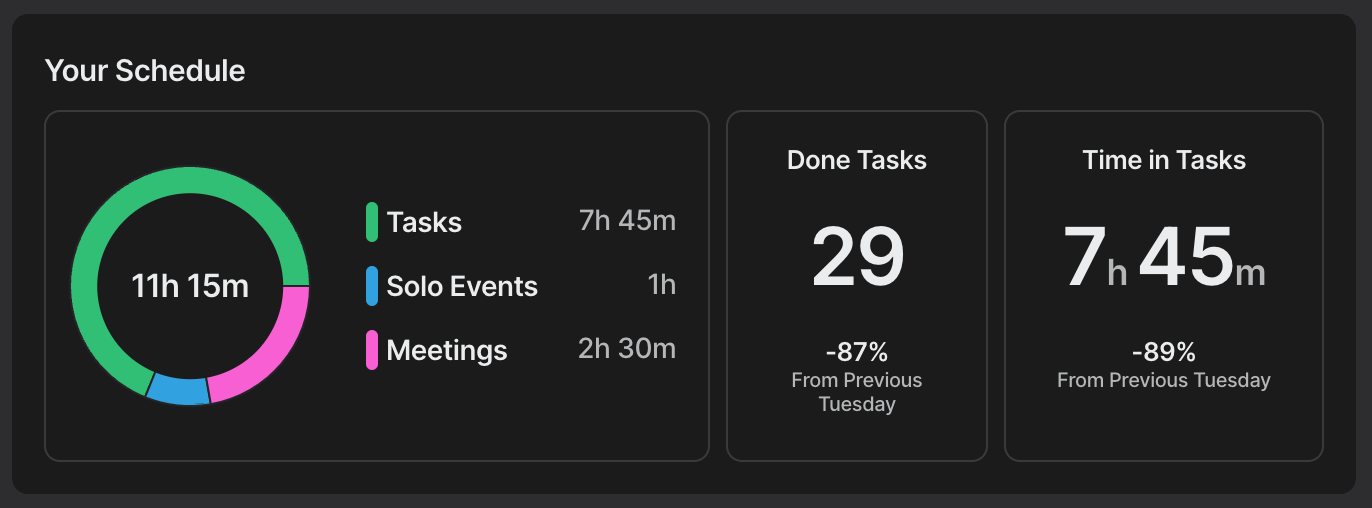
Your Schedule
In this section, you have an overview of how you spent your time.
Time overview: breakdown by tasks, solo event (you are the only guest) and meetings.
Tasks Analysis: Check the number of tasks completed and the percentage growth from the previous period.
Time Analysis: Review the time spent on tasks and its percentage growth compared to the previous period.
Your Tasks
In this section you can check your Task Distribution: time spent based on completed tasks. Filter this view by Projects, Tags, or Sources to narrow down your analysis.
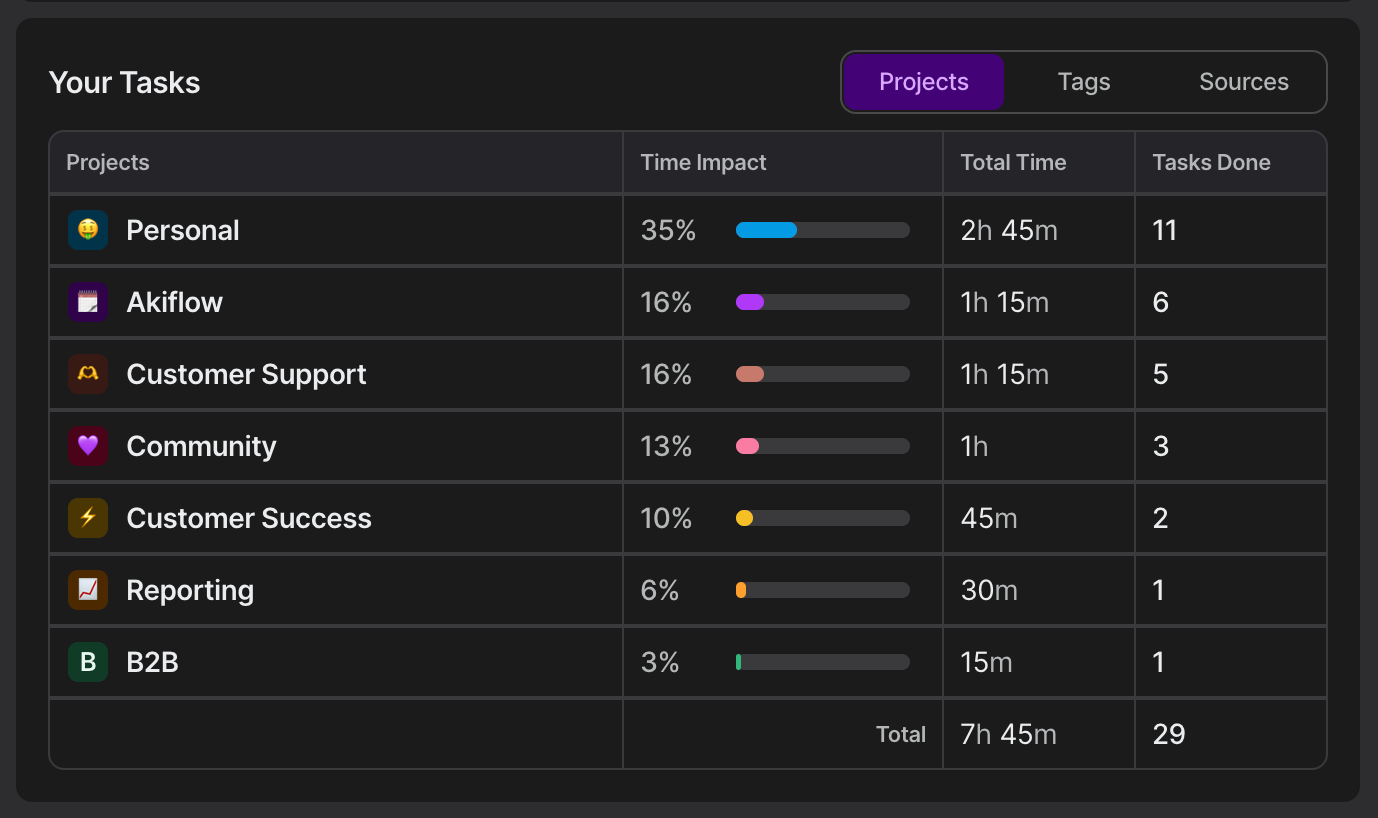
Time tracking is calculated from completed task durations only. Focus timer data is not included in time statistics.
Your Events
This view reflects the calendars that are visible in your Akiflow settings, which can be customized in your calendar preferences.
Check the number of events you participated in and the total time spent on events, with a breakdown by:
Internal Meetings: Events within your organization.
External Meetings: Events with guests outside your organization.
Solo Events: Events where you are the only guest
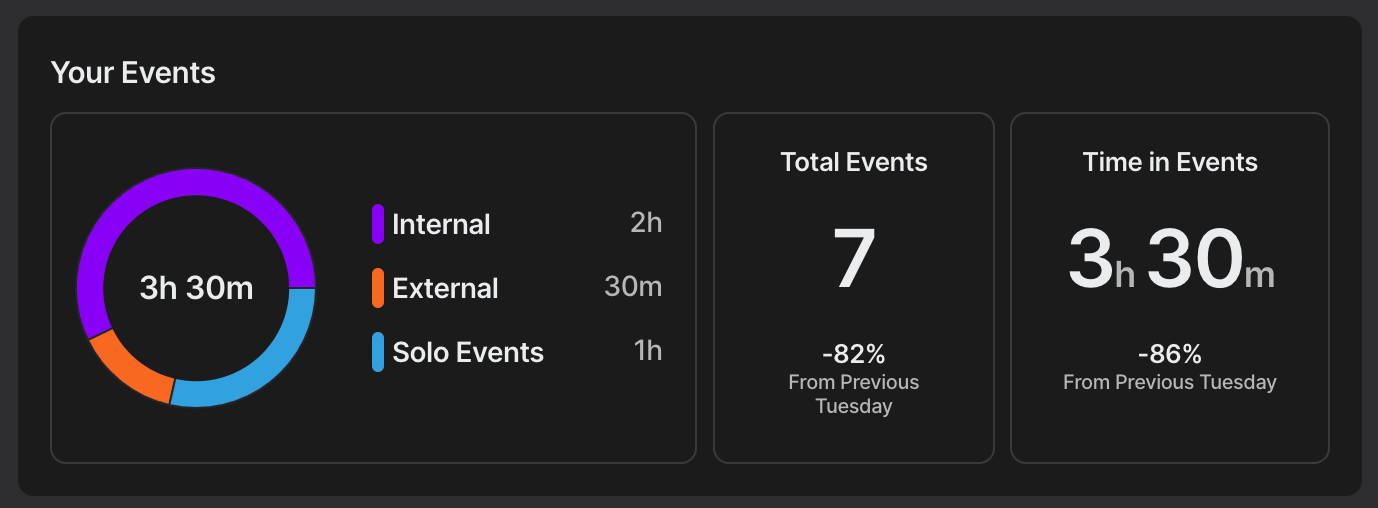
Pro Tip: Hover over any element for more detailed information.
FAQ
How are stats calculated?
How are stats calculated?
Stats only take into account completed tasks.
For each completed task, Akiflow considers:
• The Project assigned to the task
• The Task Duration assigned to the task
This means your task distribution and time analysis are based exclusively on the duration of completed tasks.
What is NOT included?
The following elements do not affect Stats:
• Overdue tasks that have not been completed
• Time Slots
• Focus Timer / Time Tracker sessions
If a completed task does not have a duration assigned, it will still count toward the number of completed tasks, but it will not contribute to the total tracked time in Stats.
Was this helpful?
Still need help? Ask the team