Onboarding your Team
Step-by-step guide to set up your team, invite members, and start collaborating in Akiflow.
Meet our sales team
Connect with our sales team to learn how Akiflow can streamline task management and boost your team’s productivity. Book a personalized demo and discover the best setup for your workflow.
Why create a team in Akiflow?
Unified Billing: One person pays for all, making expense management a breeze.
User management: Admins can easily add/remove members and adjust the subscription.
Special Discounts: Enjoy a 40% discount for your team members.
Account management: Our team will not only assist with setup and onboarding, but will also provide ongoing training on personal productivity best practices and host regular workshops to ensure your team gets the most value out of Akiflow.
Creating Your Team
To start, follow these steps:
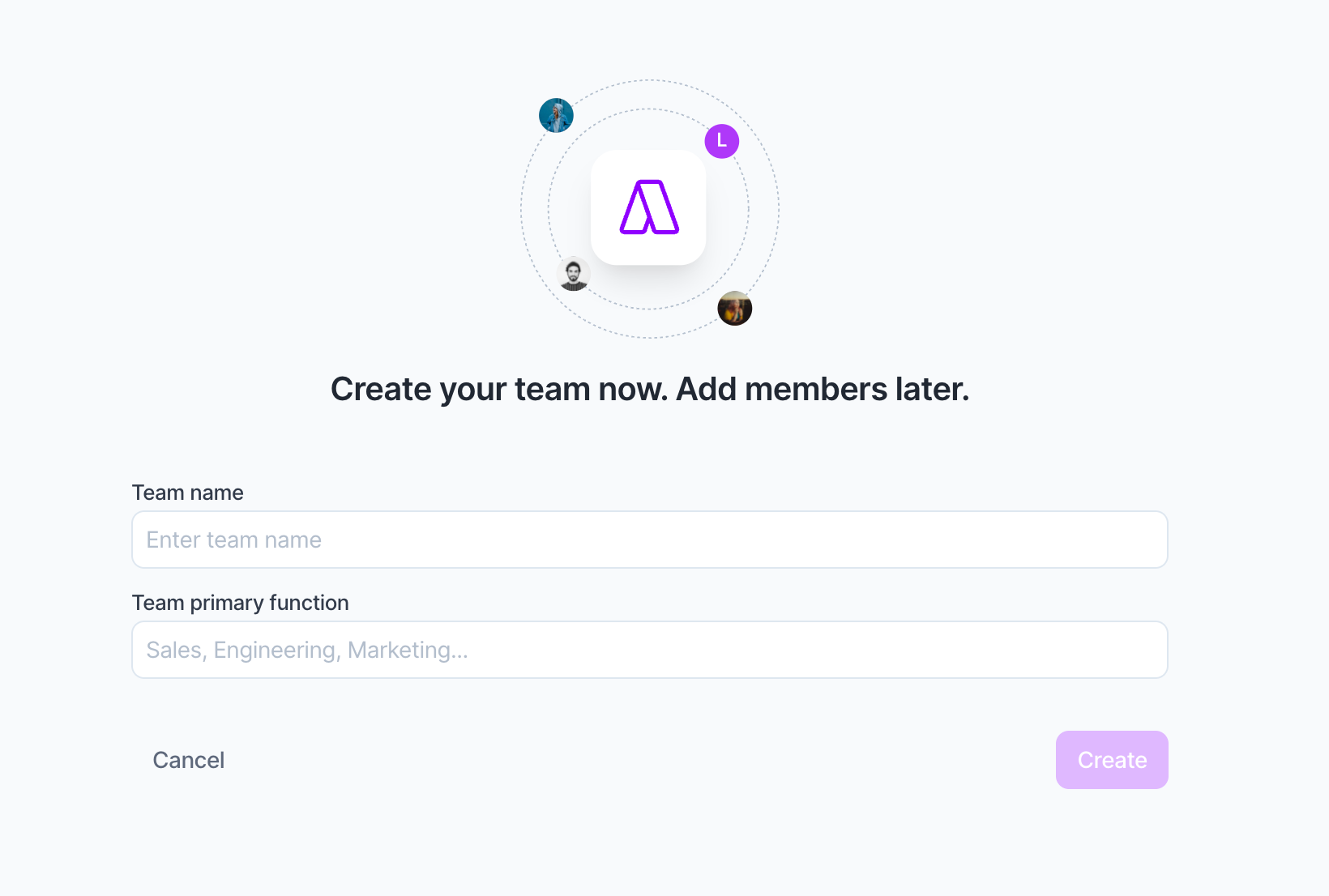
Click your avatar at the bottom of the menu on the left and choose Create your team (or go to Settings > My Account and click Create your Team).
Add your Team Name and Function
Inviting Your Colleagues
Once your team is created, it's time to bring your colleagues on board. Simply send them an invite directly from the team settings. Here's what happens next:
Existing Akiflow Users: Their individual subscriptions will be paused, so no individual will be charged while in a team.
New Users: They'll join the team by creating an Akiflow account.
Subscription & Discounts
As the team creator, you'll be the primary billing contact. Here's the deal:
All members you invite will receive a 40% discount.
This discount applies to both monthly and yearly subscriptions.
We can tailor special offers based on your team’s size and specific needs
Team Roles Explained
In your team, there can be two types of members:
Admins: Can manage the team, including inviting and removing members, changing plans, updating payment methods, billing information and team deletion.
Users: Can access and utilize Akiflow's features for personal productivity but cannot alter team settings.
FAQ
What if I already have an individual subscription?
What if I already have an individual subscription?
Your subscription will be paused, and you'll transition to team billing seamlessly. If an admin deletes the team or removes you from it, you can reactivate your subscription.
How do I go back to an individual plan?
How do I go back to an individual plan?
You can reactivate your individual plan by leaving or deleting your team plan. Here's how:
Click the three-dot menu (⋯) in the upper right corner of the team section
Select Delete team
Confirm the deletion and refresh Akiflow
Your individual plan will be automatically reactivated.
Good to know:
Your personal tasks, calendars, and integrations will remain intact, only the team workspace is removed.
Only the team owner can delete a team. If you're a member, ask your team owner to remove you, or leave the team from the same menu.
Any active team subscription will be canceled, and billing will revert to your individual plan at the next billing cycle.
Can I change the team admin?
Can I change the team admin?
Yes, admins have the flexibility to assign admin roles to other members within the team settings.
I already paid for an individual plan. What happens to that payment when I join a team?
I already paid for an individual plan. What happens to that payment when I join a team?
Your individual subscription will be paused when you join a team. If you had already paid (monthly or annual), contact our support team, they have two options to help:
Apply your remaining credit toward your Team plan billing.
Keep your individual plan paused so you can reactivate it later if you leave the team.
Reach out at support@akiflow.com and they'll sort it out for you.
How does billing work when I add a new member to my Team plan?
How does billing work when I add a new member to my Team plan?
It depends on your billing cycle:
Yearly plan: you're charged immediately for the new seat the moment you add the user. Their billing period starts right away.
Monthly plan: the new user is added to your next monthly billing cycle. You won't be charged immediately, the cost is included in your next invoice.
One exception: the Team plan base price includes 2 seats by default. So if you currently have 1 seat and are adding your first team member (the 2nd seat), there's no additional charge, that seat is already included in your plan.
Why does Akiflow say I reached the maximum number of Teams I can join?
Why does Akiflow say I reached the maximum number of Teams I can join?
A user can only belong to one Akiflow Team at a time.
If you see a notification saying you reached the maximum number of Teams you can join, it means your account is already part of another Team workspace.
To join a new Team:
The admin of your current Team must remove you from the existing Team.
Once removed, you can accept the new Team invitation and join the new Team normally.
Good to know:
• Leaving or being removed from a Team does not delete your personal tasks, calendars, or integrations.
• If you previously had an individual subscription, it can be reactivated after leaving the Team anytime.
Is the Meeting Assistant available for Teams?
Is the Meeting Assistant available for Teams?
Not yet. The Meeting Assistant feature is currently only available for individual subscriptions and is not supported on Akiflow Team plans at the moment.
If you're part of a Team workspace, you won't be able to enable or use the Meeting Assistant, even if your Team subscription is active.
We're actively evaluating Team support for Meeting Assistant in the future.
Can I see my team members' tasks that I have assigned them?
Can I see my team members' tasks that I have assigned them?
No. Akiflow currently does not support task delegation or shared task management between Team members.
Even if you're using an Akiflow Team plan:
• You cannot assign tasks to other members
• You cannot view another member’s personal tasks
• There is no shared workspace for delegated tasks or task tracking between teammates
Akiflow Teams is designed for centralized billing, user management, onboarding, and productivity support, while each member keeps their own private workspace, tasks, calendars, and integrations.
If task delegation or shared team task visibility is important for your workflow, we recommend using a dedicated project management tool alongside Akiflow for collaborative task management.
How do I remove a Team member?
How do I remove a Team member?
If you need to remove someone from your Akiflow Team, follow these steps:
Click your Avatar at the bottom of the menu on the left.
Go to Settings → My Account → Team.
In the Team members list, locate the member you want to remove.
Click the three-dot menu (⋯) on the far right of their row.
Select Remove member and confirm the action.
Good to know
Removing a member only removes them from the Team workspace.
Their personal tasks, calendars, and integrations will remain intact.
If the removed member had an individual subscription that was paused when they joined the Team, it will be automatically reactivated after they are removed.
Only Team admins can remove members from a Team.
Removing a seat does not automatically generate a refund to the payment method. Any unused portion of that seat's subscription period is converted into account credit and will be automatically applied to the Team's next invoice or renewal.
How do I turn off auto-renewal without losing my paid access?
How do I turn off auto-renewal without losing my paid access?
Auto-renewal for Team plans can’t be turned off through self-service. From your account (Manage account > Team), the only available action is deleting the team.
If you’d like to keep your paid access until the end of your current billing period and stop it from renewing afterward, you’ll need to request a scheduled cancellation directly from our support team. Just reach out and we’ll set it up for you, and your access will remain active until your paid period ends.
Was this helpful?
Still need help? Ask the team