IFTTT
IFTTT (if this then that) is a service that automates connections between different tools.
How IFTTT works
These are the building blocks of any IFTTT automation.
Services: tools you can connect with each other. Each service has a particular set of triggers and actions.
Triggers: are items that trigger an action, like a video published by a user on YouTube.
Actions: are the result of the trigger. For example, an action could be importing a task in Akiflow.
Applets: are a chain of triggers and actions that create automations between services.
What can I integrate with IFTTT <> Akiflow?
There are 700+ apps that you can integrate with IFTTT. Some examples are iOS Reminders, Evernote, Discord, Zoho email, Airtable, Telegram, Spotify, TickTick, Youtube, etc.
How to integrate with IFTTT
Go to Settings → Integrations → IFTTT, and chose among our ready-to-use applets
By hitting on Custom integration, you’ll find all the steps to create Applets between Akiflow and your favorite tools.
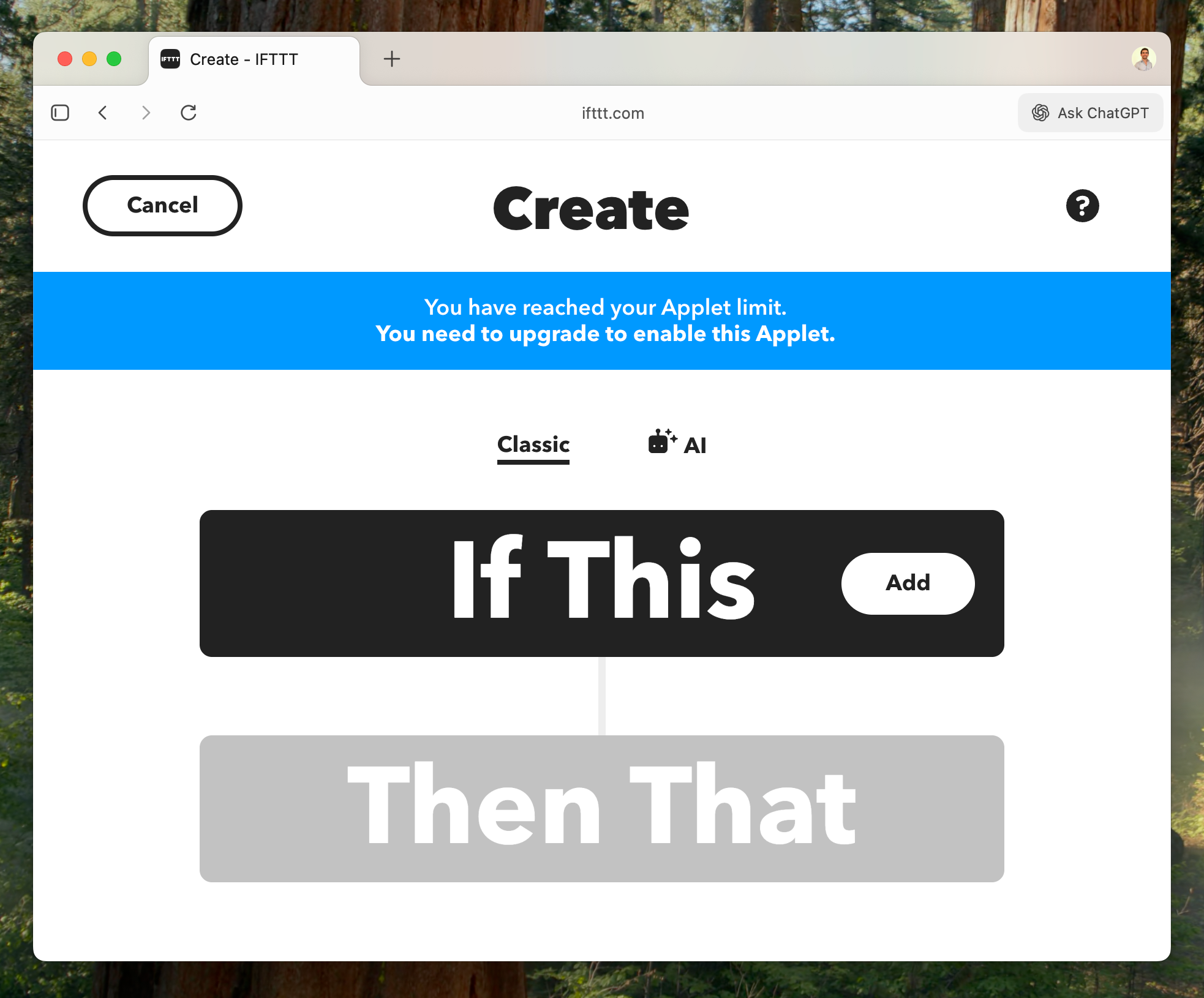
To create a new applet, you can hit on Create from your IFTTT profile.
Then click on the “Add” button from the If This condition.
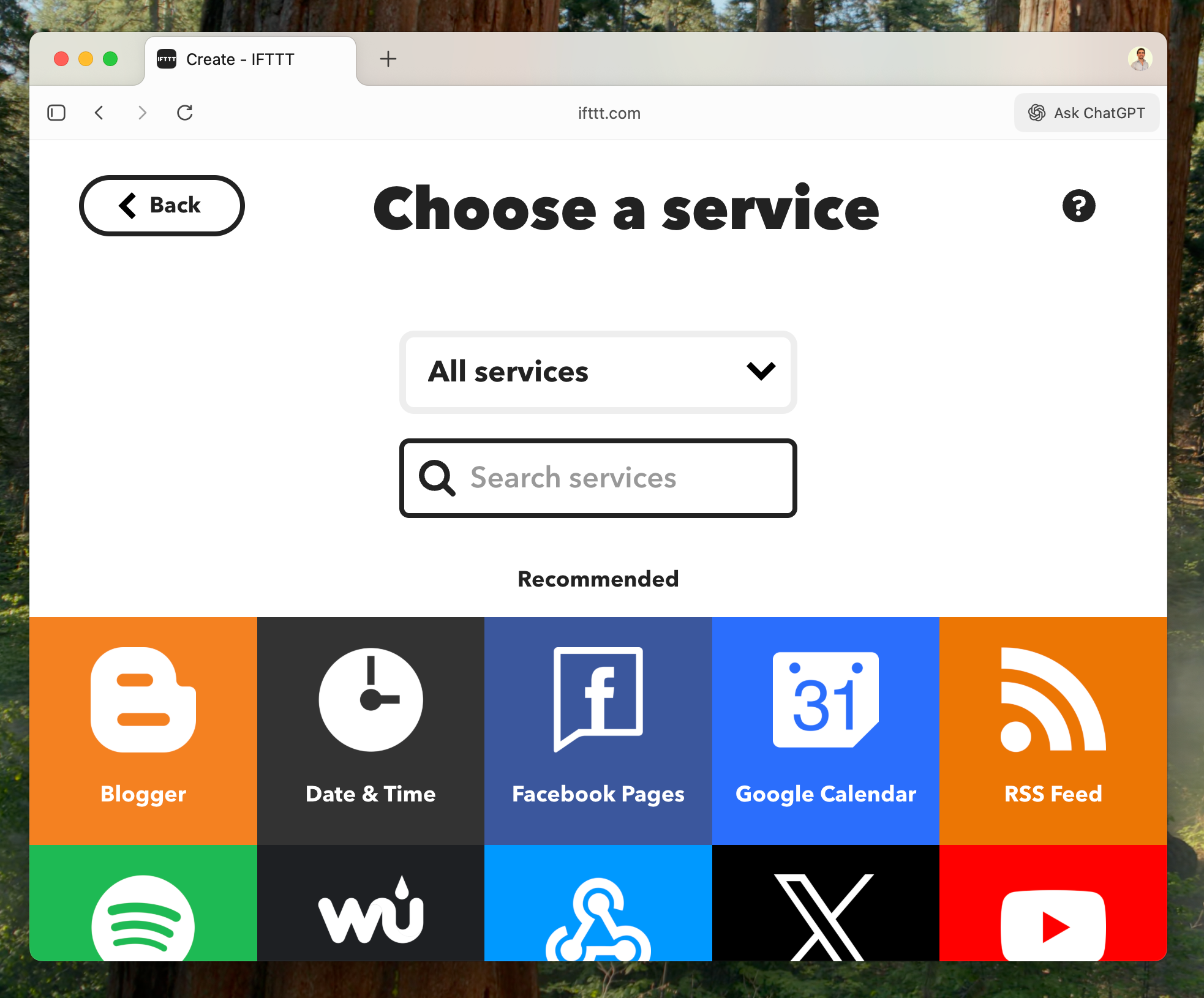
Choose a service from those available.
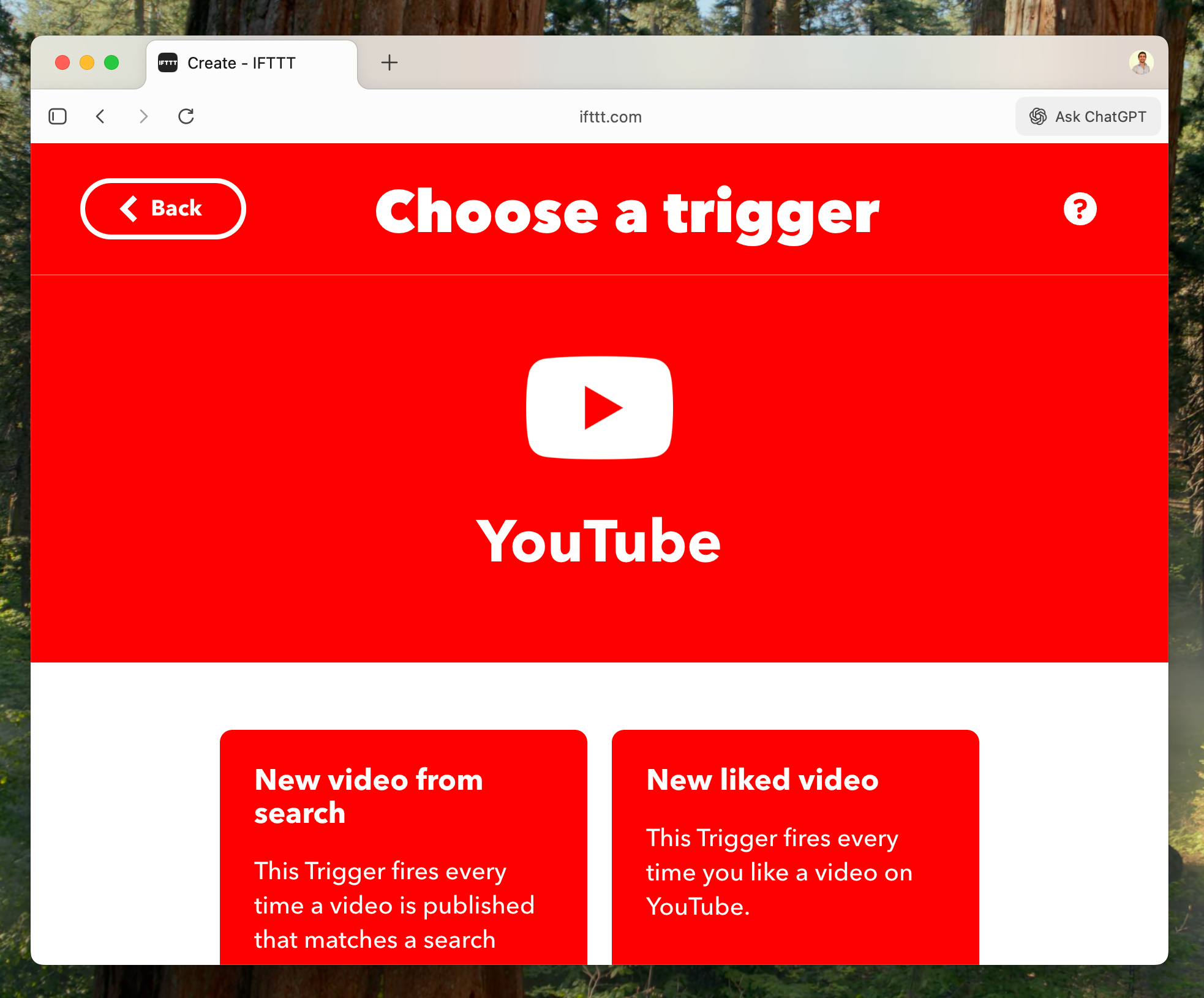
Chose your Trigger. For example, a new liked video on Youtube.
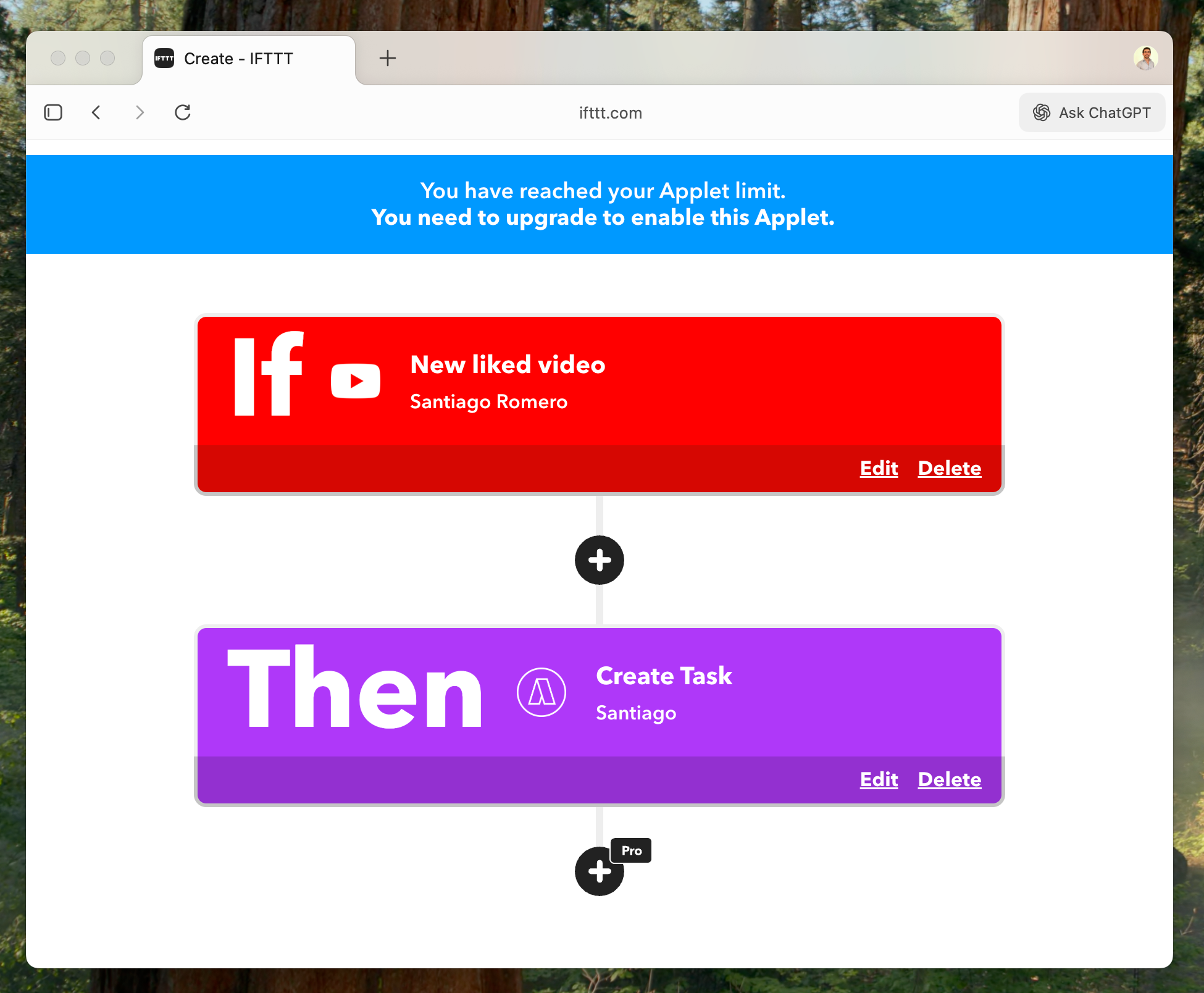
Once you’ve set up the If condition, select Akiflow as the Then action. This means that every time you like a new video, a task will automatically be created in Akiflow.
You can customize how tasks are imported by choosing to:
Send them to your Inbox or directly plan them
Assign a priority or deadline
Assign a project
Customize Title and Description
Include a URL
FAQ
Synching is taking too long, why?
Synching is taking too long, why?
If you are in the Free IFTTT Plan, synching your tasks into Akiflow can take some minutes.
Which tools can I connect via IFTTT?
Which tools can I connect via IFTTT?
in Settings → Integrations → IFTTT you can:
Custom integration: pick from +700 services and create your custom applet
Or Choose one of the applets: iOS Reminders, Evernote, Discord, Zoho, Airtable, Telegram, Spotify, TickTick or Youtube.
I imported too many tasks, what can I do?
I imported too many tasks, what can I do?
Multi-select tasks imported via IFTTT and hit backspace → How to bulk edit tasks
How my applet settings are reflected in Akiflow?
How my applet settings are reflected in Akiflow?
You will be able to configure:
Title
Status (Inbox or Planned)
Date
Time
Duration
Priority
Daily Goal
Project
Description
URL
These will define how your tasks are reflected in Akiflow.
When I delete a task in Akiflow, what happens to my source tasks?
When I delete a task in Akiflow, what happens to my source tasks?
When you delete a task in Akiflow, nothing happens to the source task imported via IFTTT.
How are IFTTT and Akiflow synched?
How are IFTTT and Akiflow synched?
When you import a task via IFTTT, it’ll be shown in your Akiflow Inbox or Today page.
Any changes you make in Akiflow, won’t be reflected in the tool connected via IFTTT.
Was this helpful?
Still need help? Ask the team