Inbox Zero
This short guide will teach you how to reach Inbox Zero sooner - and better - in Akiflow
Intro
If you find yourself with too many tasks in your Inbox, here’s what you can do:
Take bulk actions on them
Refine the import options of your integrations
Taking bulk actions on your tasks
You can use our shortcuts to clear your Inbox fast. Learn more in How to bulk edit tasks.
Select the first task and use one of the following:
hold
shiftthen move with the arrows → to select taskshold
shiftthen click on another task → to select all the tasks between these twohold
ctrlorcmdthen click on other tasks → to select them one by oneclick
ctrlorcmd+A→ to select all tasks
Then hit on:
Backspaceto delete themEto mark them as donePto plan them
Pro tip: Did you know you can plan a task while creating it? Akiflow recognizes natural language, so you can type things like Today 9 am, This Week, etc.
Refining your import options
You can always clear all the tasks fetched so far from your integrations to change the import options and re-import just those you need.
Go to Settings → Integrations, open the integration, click the ••• (Account options) button and choose Reset integration. Akiflow deletes the tasks imported from that account and restarts the sync with your new import options. Gmail, Slack, Microsoft Teams and Outlook Email don't have Reset integration: use Delete all imported tasks in the same menu, then change your import options.
Share your Inbox Streak
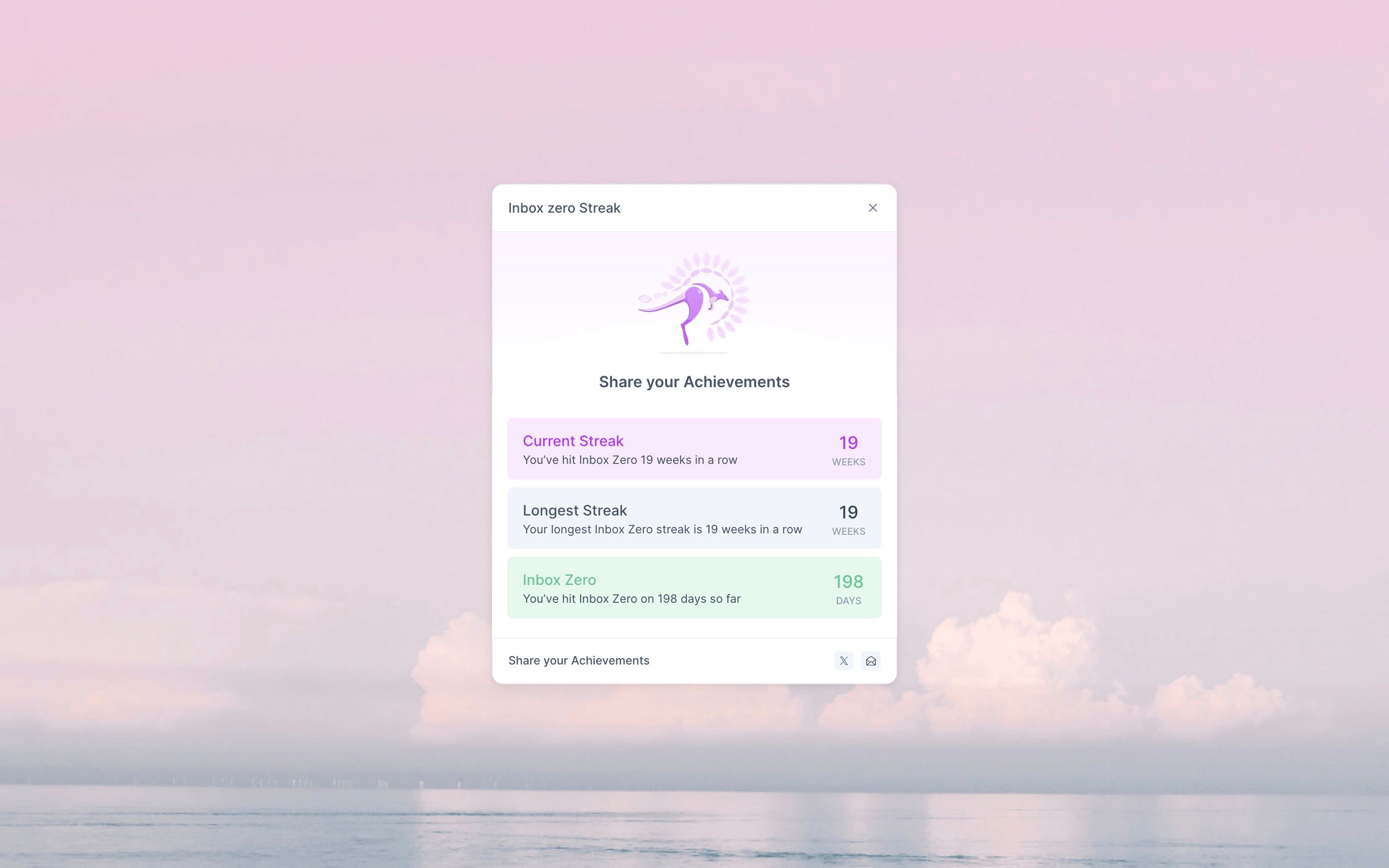
When your Inbox is empty, the bottom of the page shows your streak, for example You have reached Inbox Zero 19 weeks in a row! Click it to open your Inbox Zero Streak: your current streak, your longest streak and your total Inbox Zero days, with buttons to share them.
FAQ
How can I stop Natural Language from being detected when I type?
How can I stop Natural Language from being detected when I type?
If Akiflow recognizes part of your text as Natural Language but you want to keep it as plain text instead (for example, writing "Today" without scheduling the task), simply press ESC while typing.
Pressing ESC cancels the Natural Language detection, allowing you to continue typing without Akiflow interpreting dates or scheduling keywords.
Was this helpful?
Still need help? Ask the team